
How It Works
Follow each step in Cards.
- Help is for collaboration with another Cards user.
- Use Cards Support—not Help—for product, account, or service problems.
- 01
Open the blocked source Card and select Help.
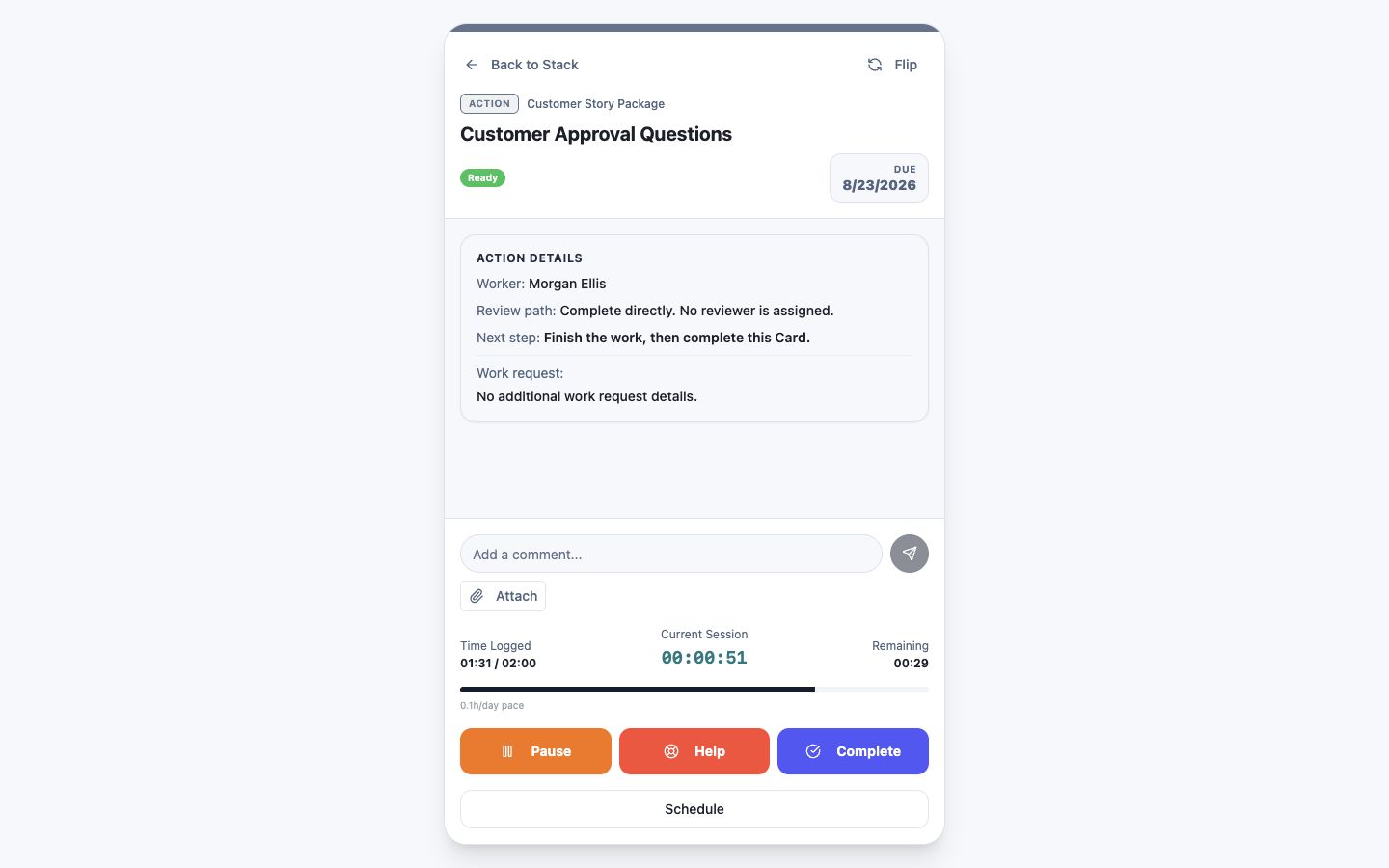 Select Help on the blocked Card
Step 1 screen focusOpen the blocked source Card and select Help. - 02
Choose the Cards user best able to remove the blocker.
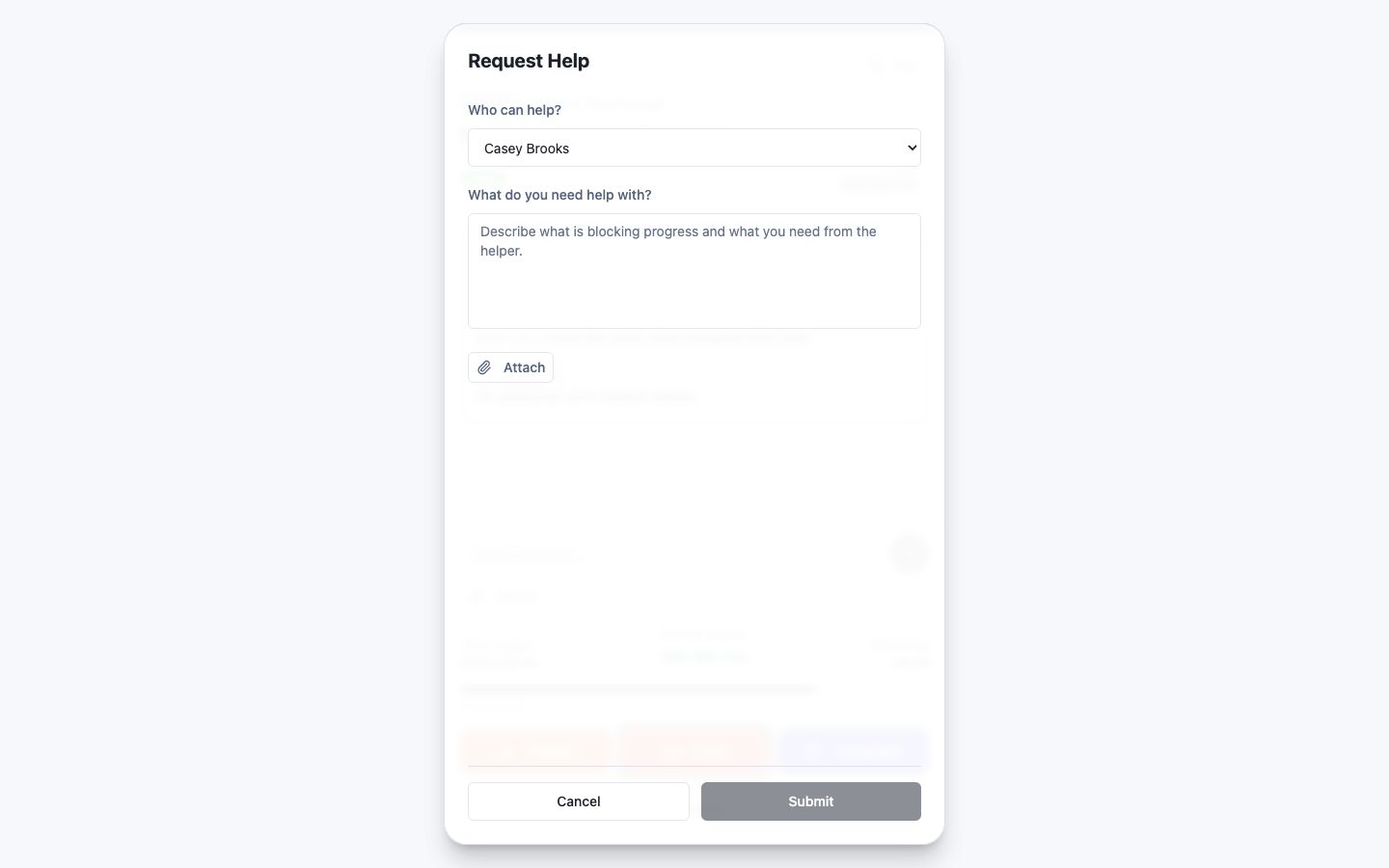 Choose who can help
Step 2 screen focusChoose the Cards user best able to remove the blocker. - 03
Describe what is blocked, what you already checked, and the outcome you need.
Describe the blocker and needed outcomeStep 3 screen focusDescribe what is blocked, what you already checked, and the outcome you need. - 04
Add a relevant attachment when it helps the other user understand the request.
Attach useful supporting contextStep 4 screen focusAdd a relevant attachment when it helps the other user understand the request. - 05
Submit the Help request and keep subsequent resolution connected to the source work.
Submit the connected Help requestStep 5 screen focusSubmit the Help request and keep subsequent resolution connected to the source work.