
How It Works
Follow each step in Cards.
- A useful Plan describes consequences, not just a list of tasks.
- When live commitments change, preserve the reason and approval.
- 01
Open Plan and choose the Project you want to draft or revise.
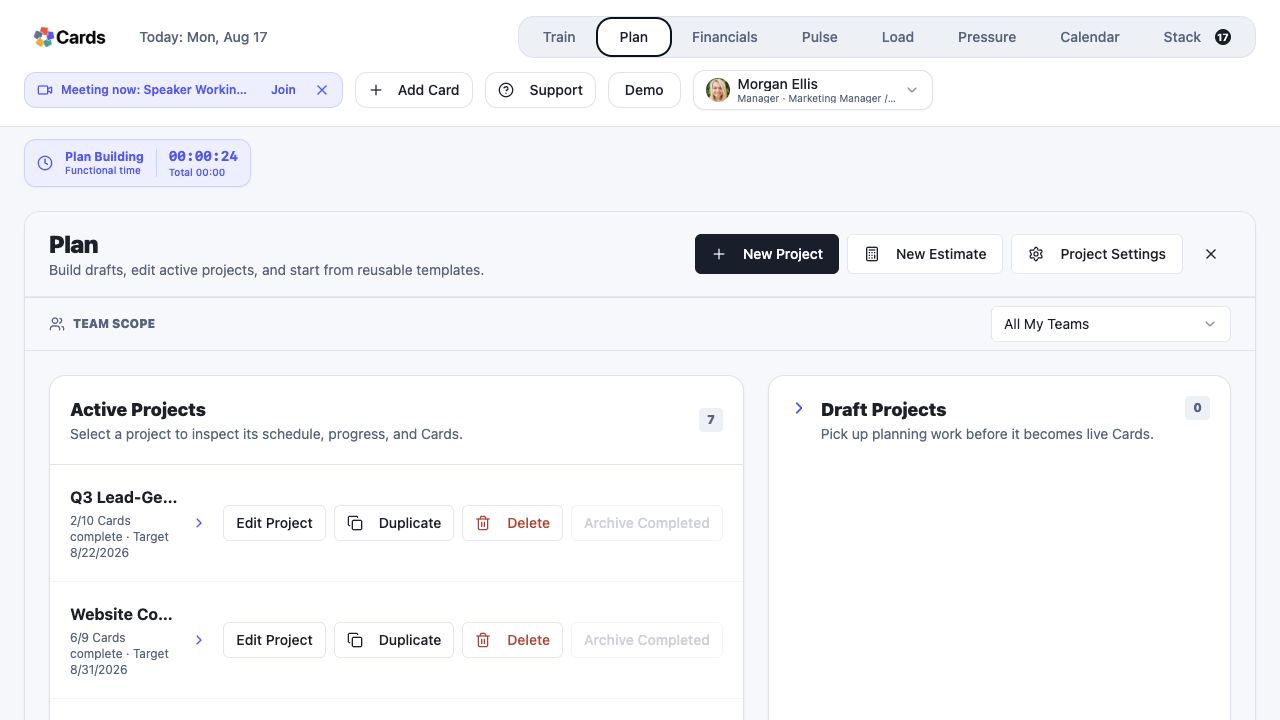 Open Plan and select the Project
Step 1 screen focusOpen Plan and choose the Project you want to draft or revise. - 02
Define the outcome and add the Cards required to produce and review it.
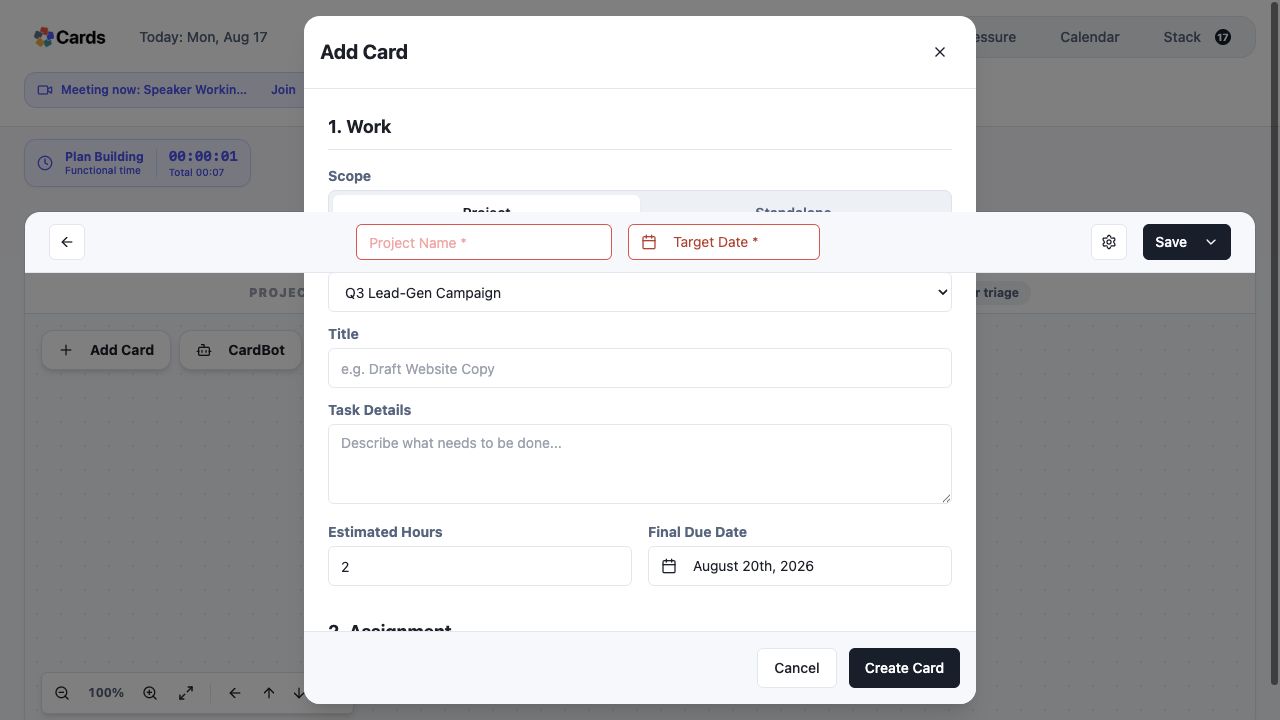 Add Cards, assignments, dependencies, and review rules
Step 2 screen focusDefine the outcome and add the Cards required to produce and review it. - 03
Connect dependencies and place review or client decisions where they actually occur.
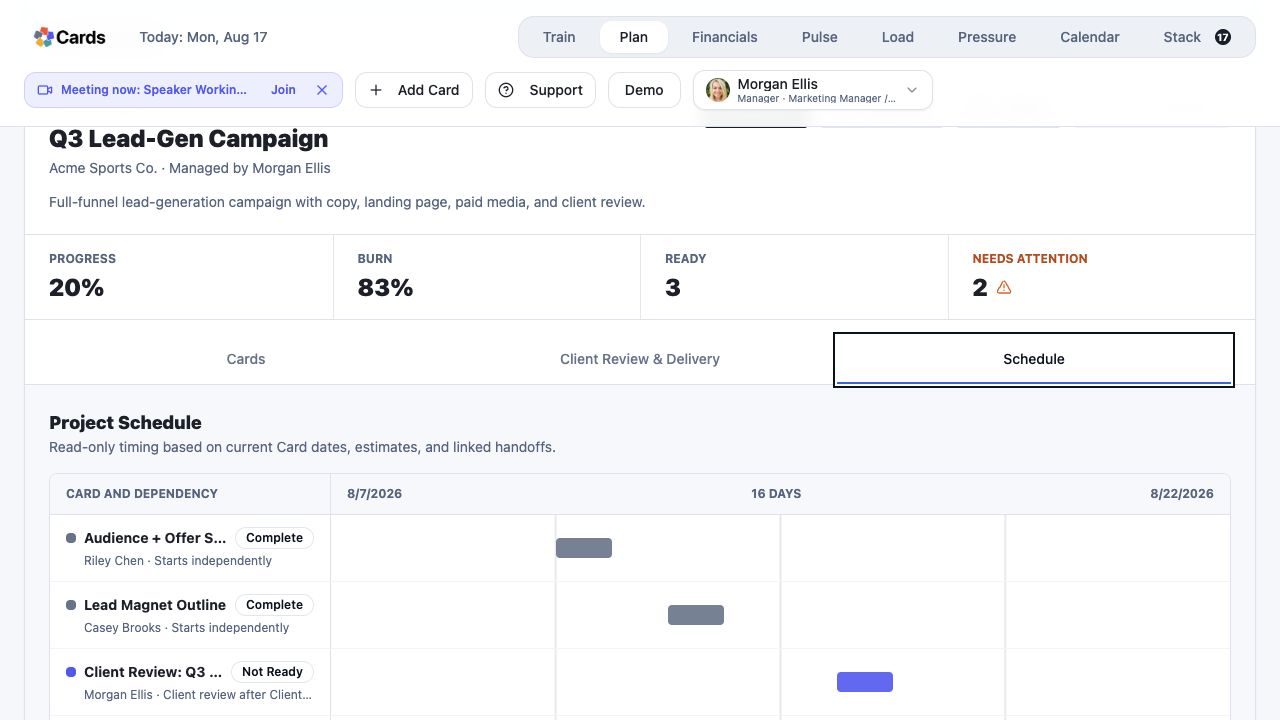 Inspect dependencies and review handoffs
Step 3 screen focusConnect dependencies and place review or client decisions where they actually occur. - 04
Add assignments, estimates, dates, and completion criteria.
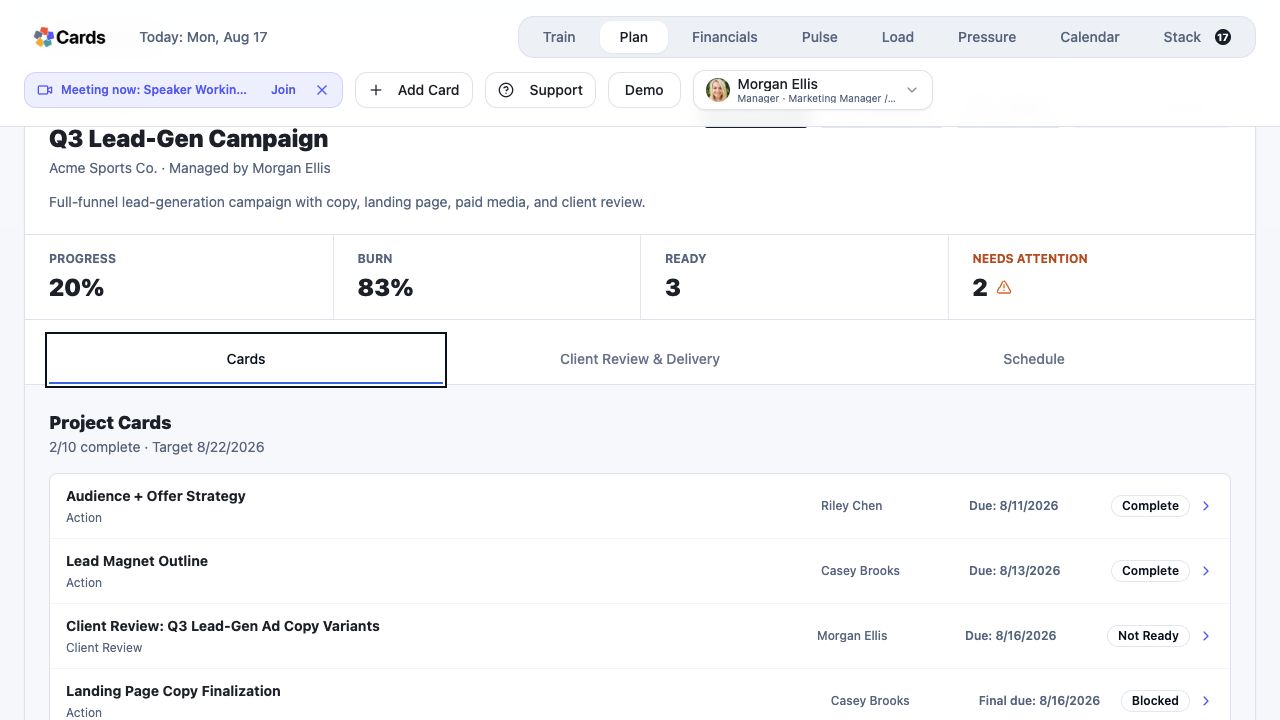 Confirm owners, dates, and Card readiness
Step 4 screen focusAdd assignments, estimates, dates, and completion criteria. - 05
Review the effect of changes before approving them.
Review schedule consequences before approving changesStep 5 screen focusReview the effect of changes before approving them.