
How It Works
Follow each step in Cards.
- Canvas and Schedule represent the same connected Project at different stages.
- Changing a dependency may affect readiness and downstream dates.
- 01
Open a Project in Plan.
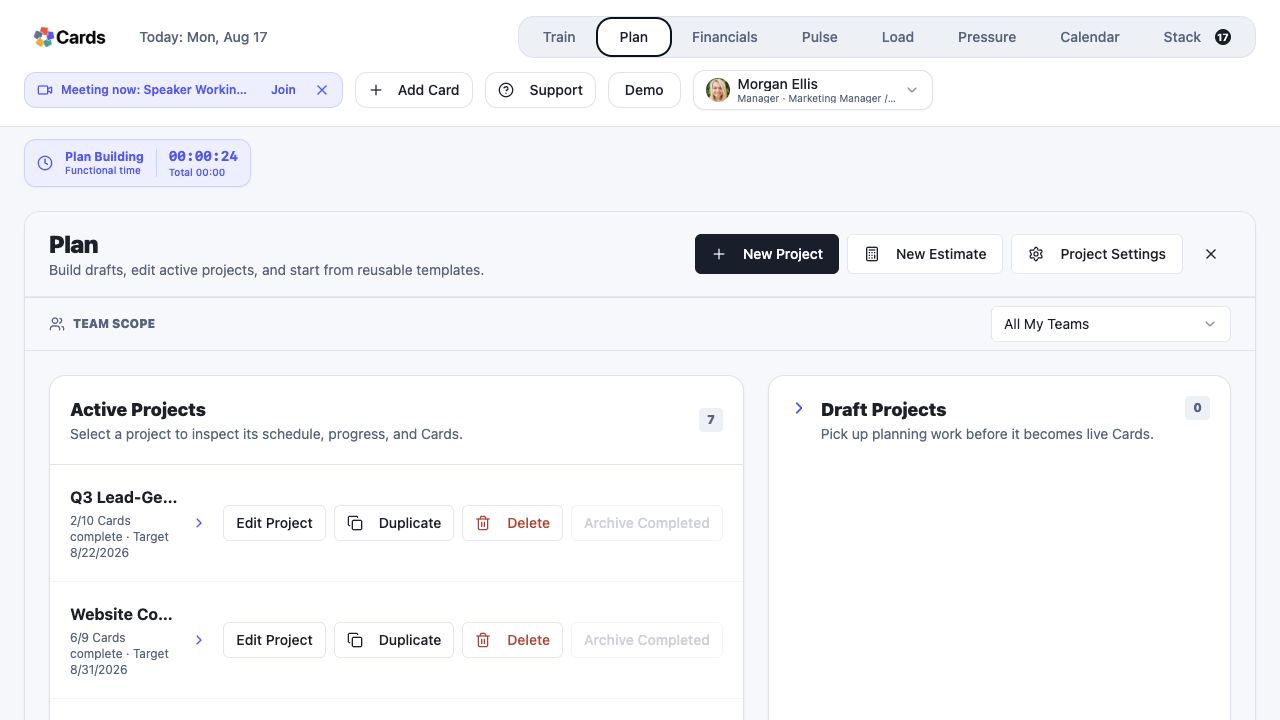 Select a Project in Plan
Step 1 screen focusOpen a Project in Plan. - 02
Use Canvas while drafting to arrange Cards and connect their dependencies and review gates.
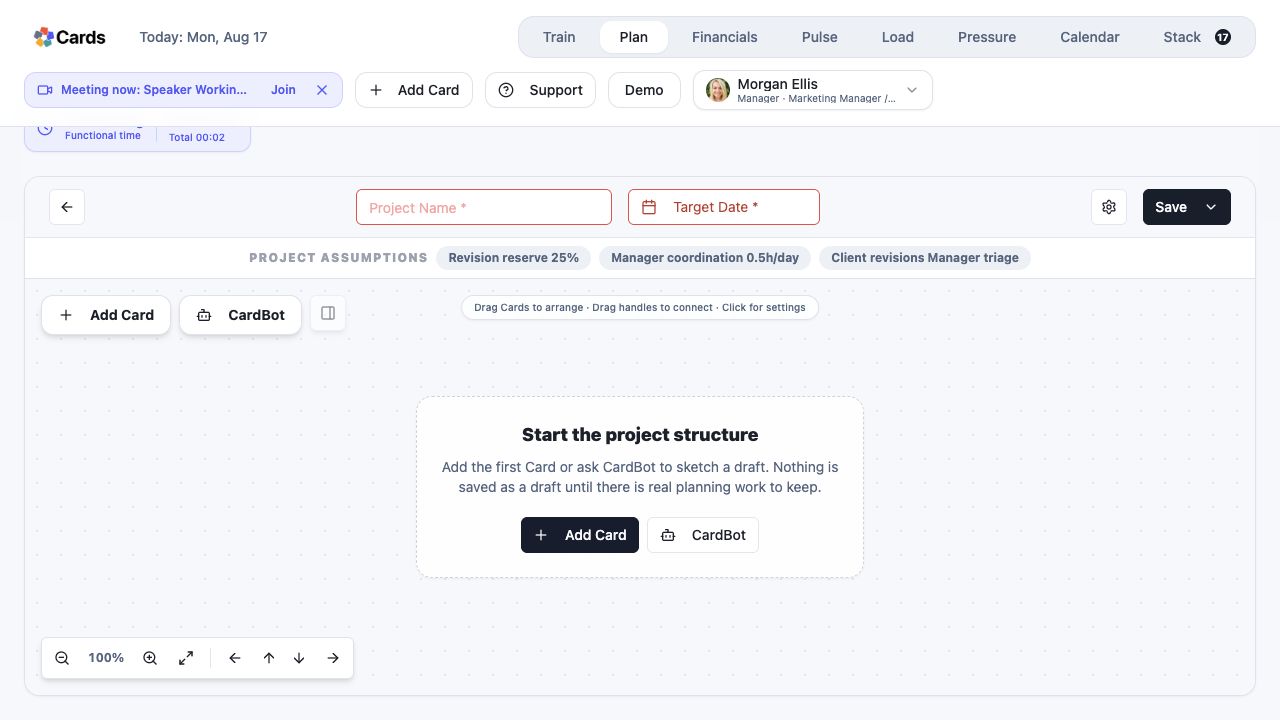 Use Canvas to build and connect Cards
Step 2 screen focusUse Canvas while drafting to arrange Cards and connect their dependencies and review gates. - 03
Open the Schedule tab on a live Project to inspect dates, duration, and dependency order.
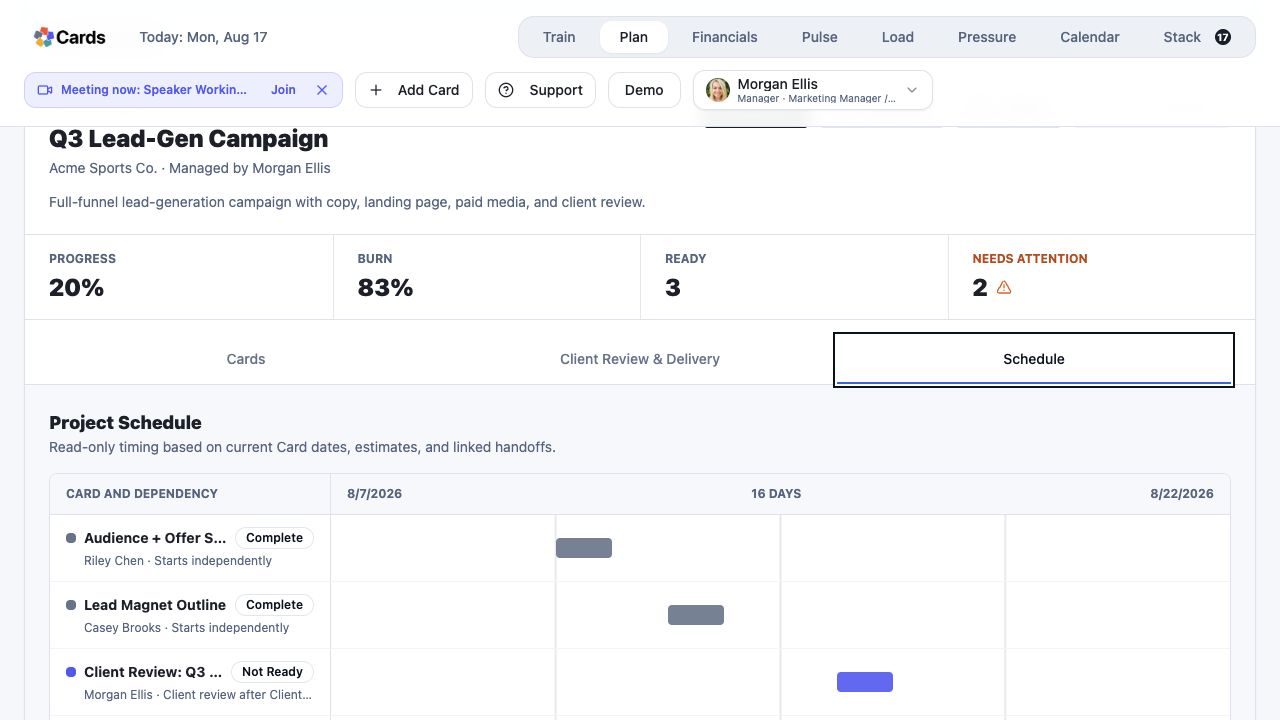 Use Schedule to inspect timing and dependencies
Step 3 screen focusOpen the Schedule tab on a live Project to inspect dates, duration, and dependency order. - 04
Return to Edit Project when the workflow or timing needs to change. Schedule is read-only and reflects the current Plan.
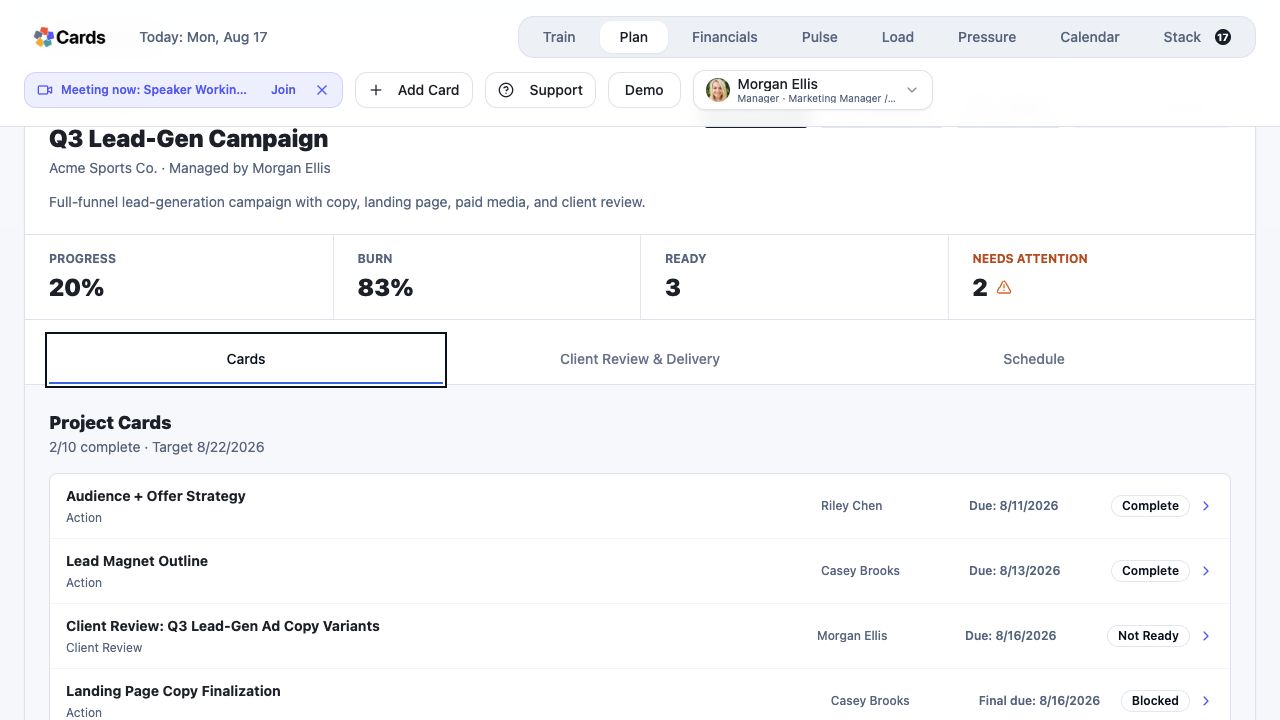 Return to Edit Project when the Plan needs to change
Step 4 screen focusReturn to Edit Project when the workflow or timing needs to change. Schedule is read-only and reflects the current Plan. - 05
Recheck assignments in the Project and capacity in Load before approving the update.
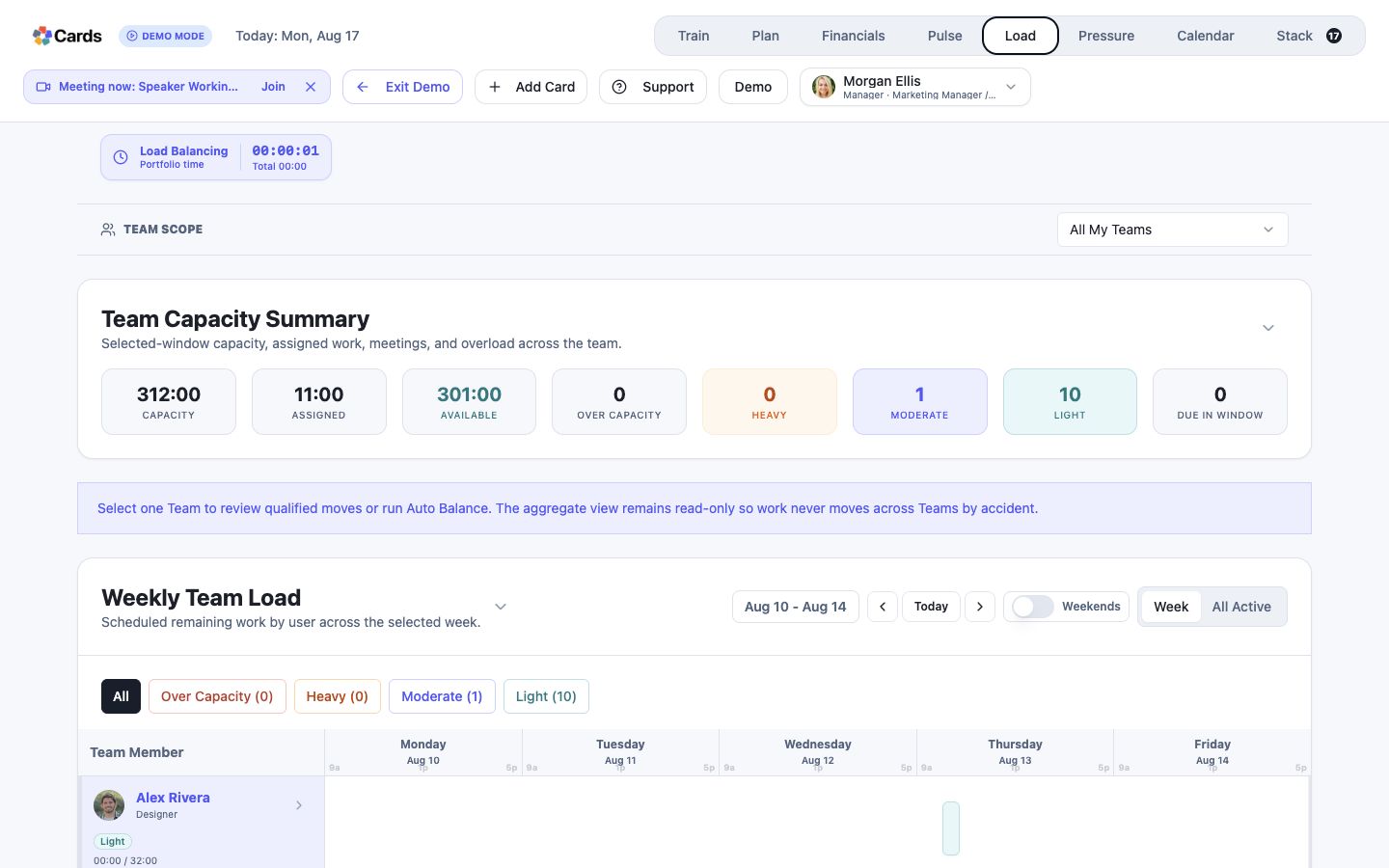 Check Load before committing the updated Plan
Step 5 screen focusRecheck assignments in the Project and capacity in Load before approving the update.