
How It Works
Follow each step in Cards.
- Do not upload passwords, payment data, health information, or unrestricted diagnostics.
- Avoid repeatedly attaching duplicates while troubleshooting.
- 01
Confirm the file type, size, name, and Card where the attachment belongs.
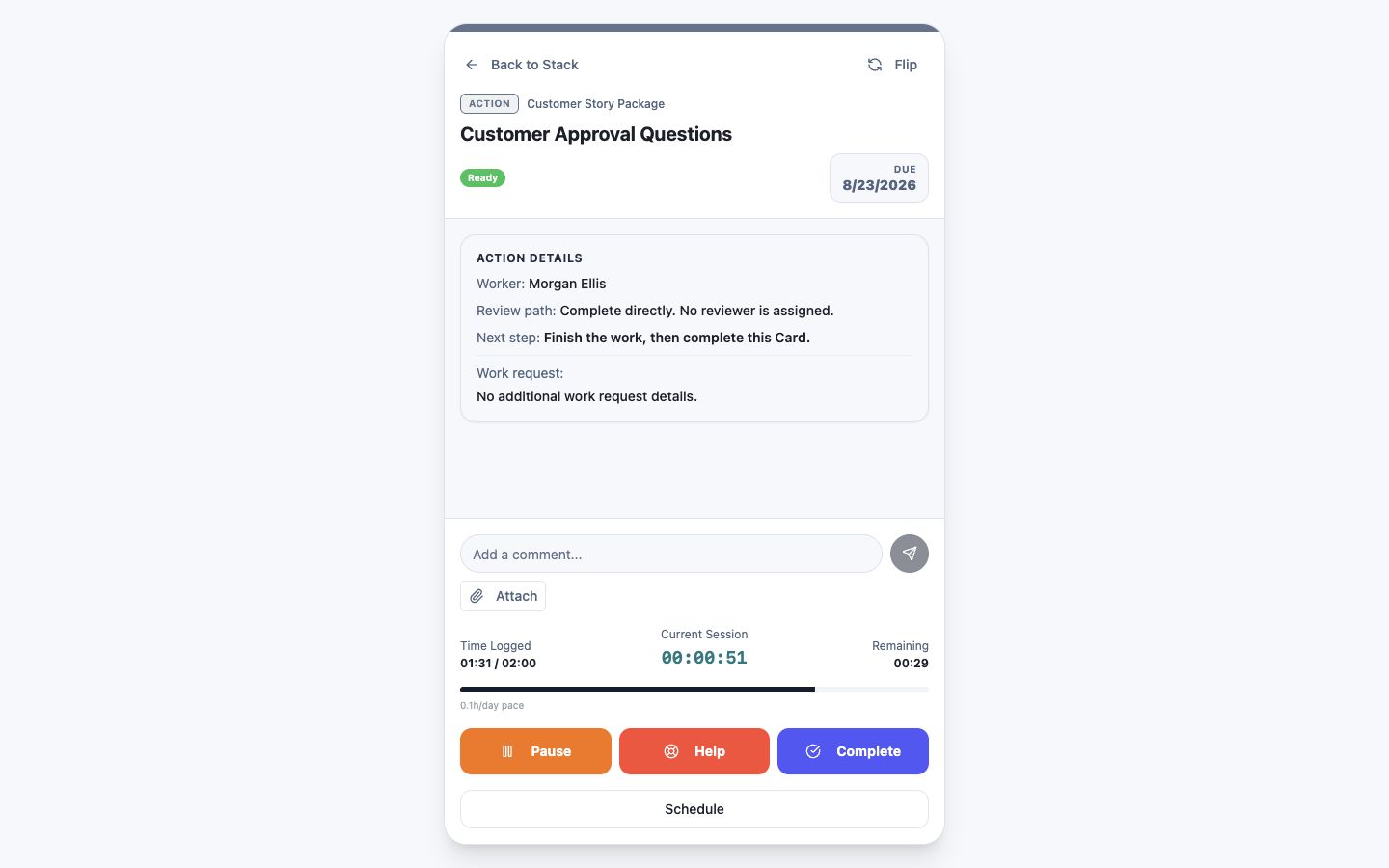 Confirm the Card and attachment area
Step 1 screen focusConfirm the file type, size, name, and Card where the attachment belongs. - 02
Retry only after checking the connection and whether the same file is already attached.
Check existing attachments before retryingStep 2 screen focusRetry only after checking the connection and whether the same file is already attached. - 03
Record the exact visible message and when it occurred.
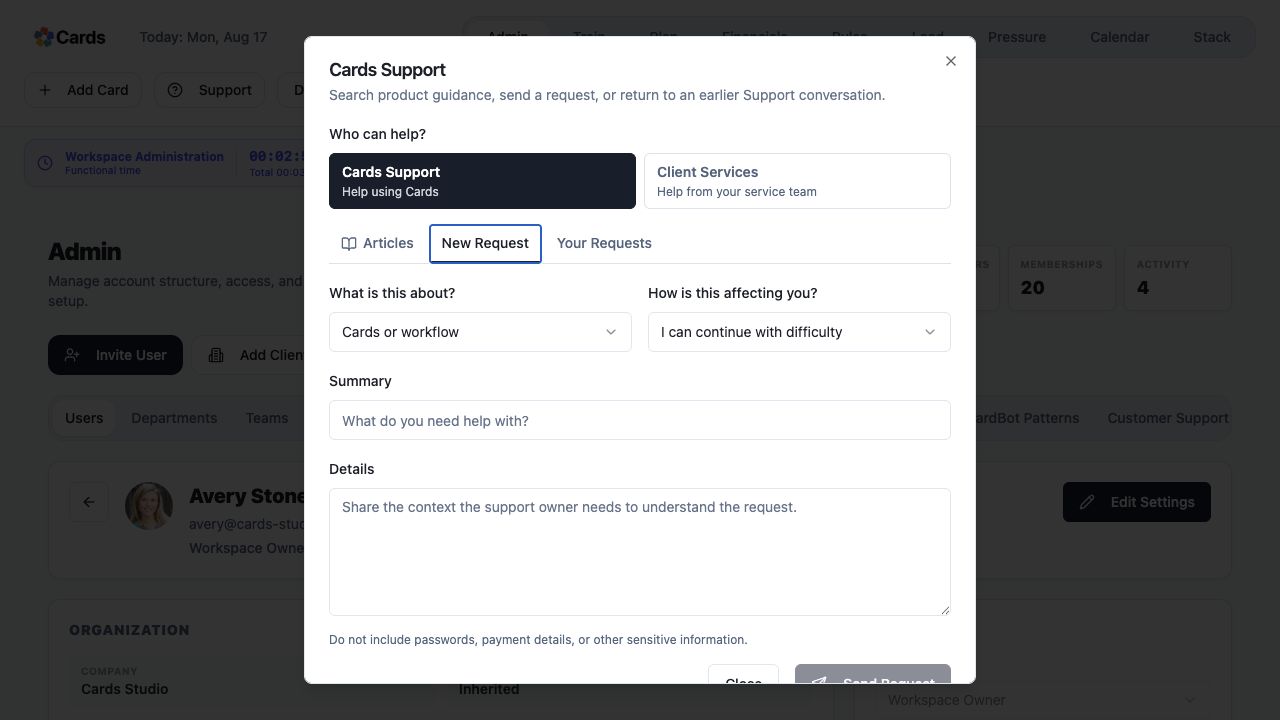 Record the exact visible message in the request details
Step 3 screen focusRecord the exact visible message and when it occurred. - 04
Use a safe sample file when Support asks you to reproduce an issue.
Use Attach only with a safe sample fileStep 4 screen focusUse a safe sample file when Support asks you to reproduce an issue. - 05
Create a Support Ticket with the affected Project and Card names and the business impact.
Include the Project, Card, and business impactStep 5 screen focusCreate a Support Ticket with the affected Project and Card names and the business impact.