
How It Works
Follow each step in Cards.
- A job title should not automatically grant broad access.
- Never use a client role for an internal collaborator or expose private working notes to a client.
- 01
Open the organization’s member or Admin controls.
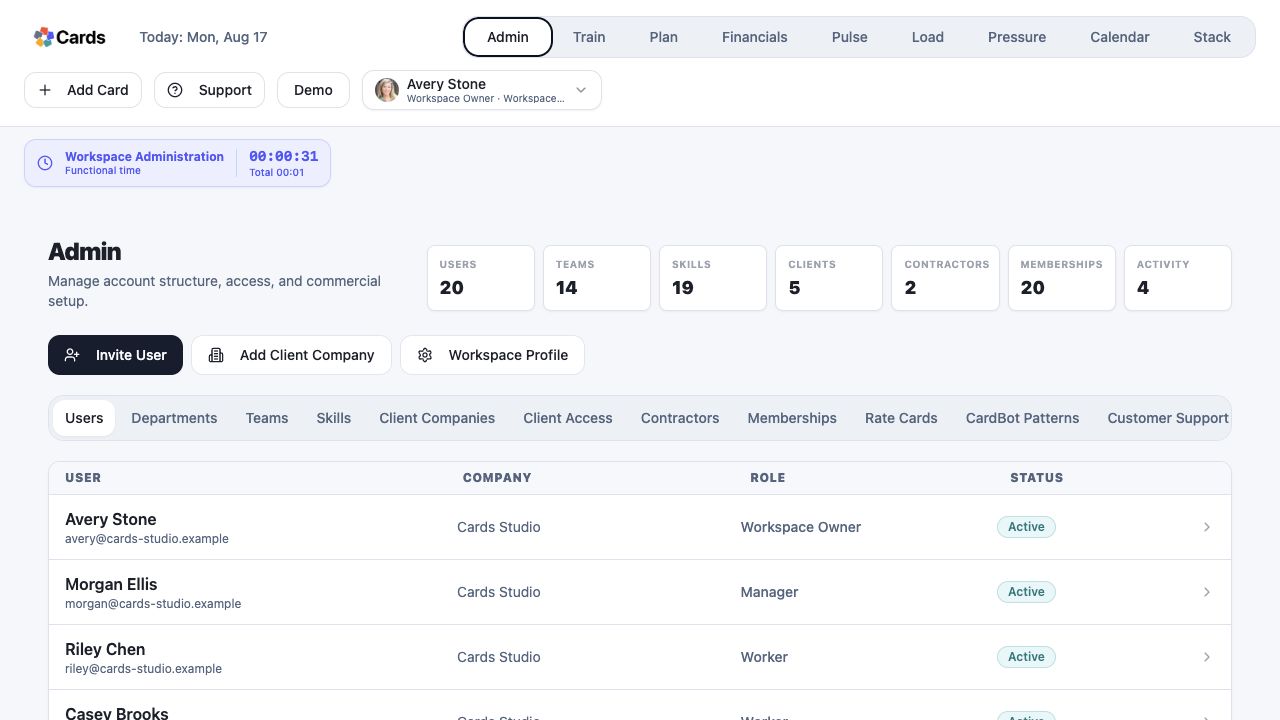 Open Admin and select Invite User
Step 1 screen focusOpen the organization’s member or Admin controls. - 02
Confirm the person’s email address, relationship to the organization, and intended responsibilities.
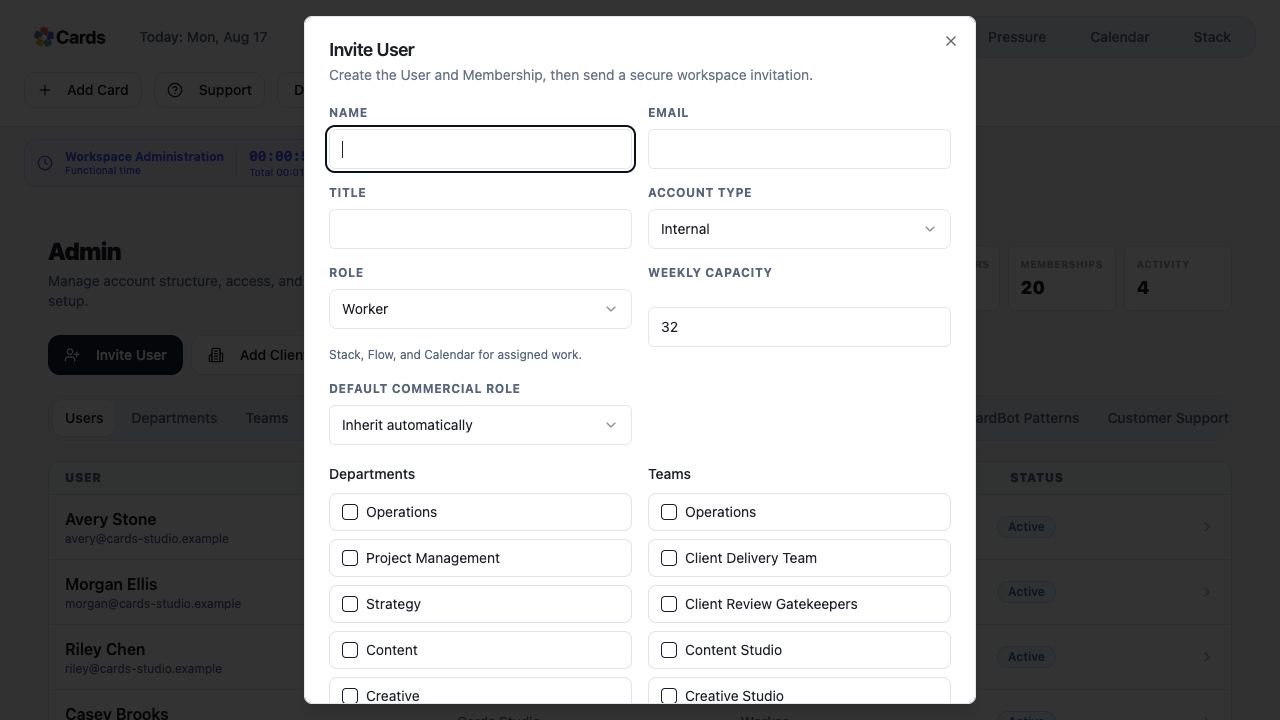 Enter the person, account type, and organization details
Step 2 screen focusConfirm the person’s email address, relationship to the organization, and intended responsibilities. - 03
Choose the minimum role and team scope they need.
Choose the minimum role, departments, and TeamsStep 3 screen focusChoose the minimum role and team scope they need. - 04
For a client, connect access only to the client-facing work intended for review.
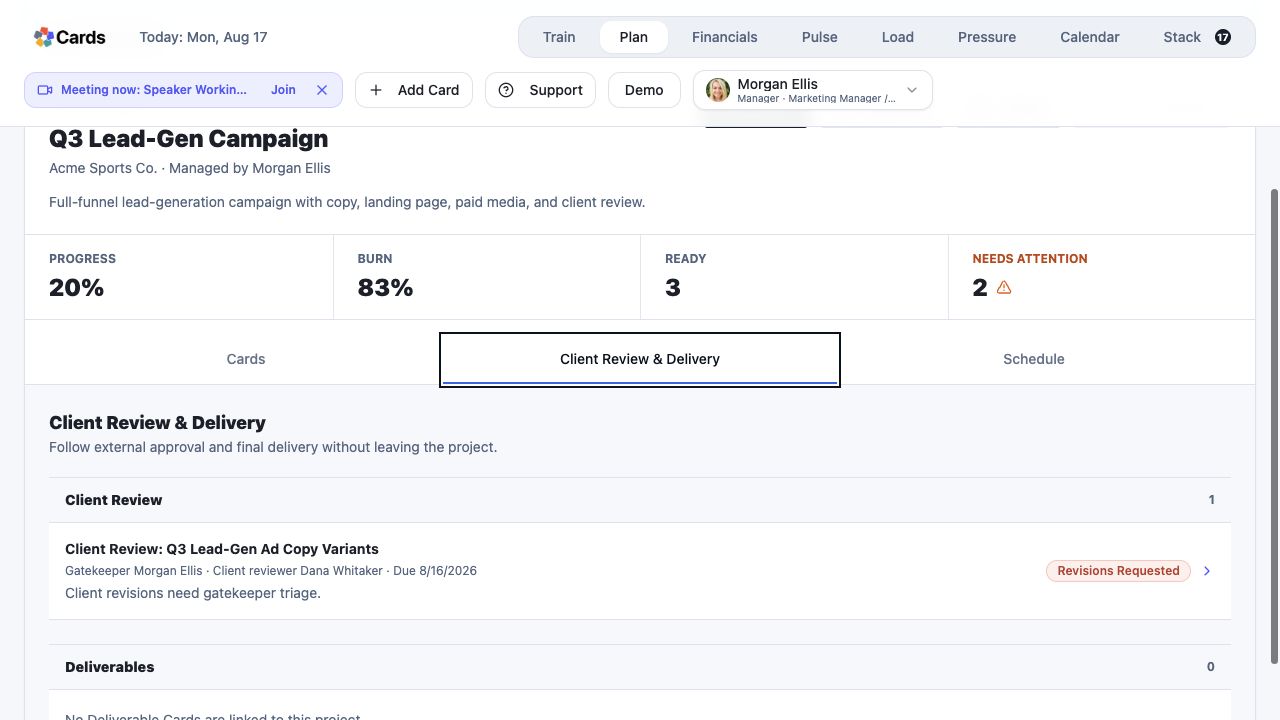 Limit client participation to the intended review work
Step 4 screen focusFor a client, connect access only to the client-facing work intended for review. - 05
Ask the invitee to confirm the organization after signing in.
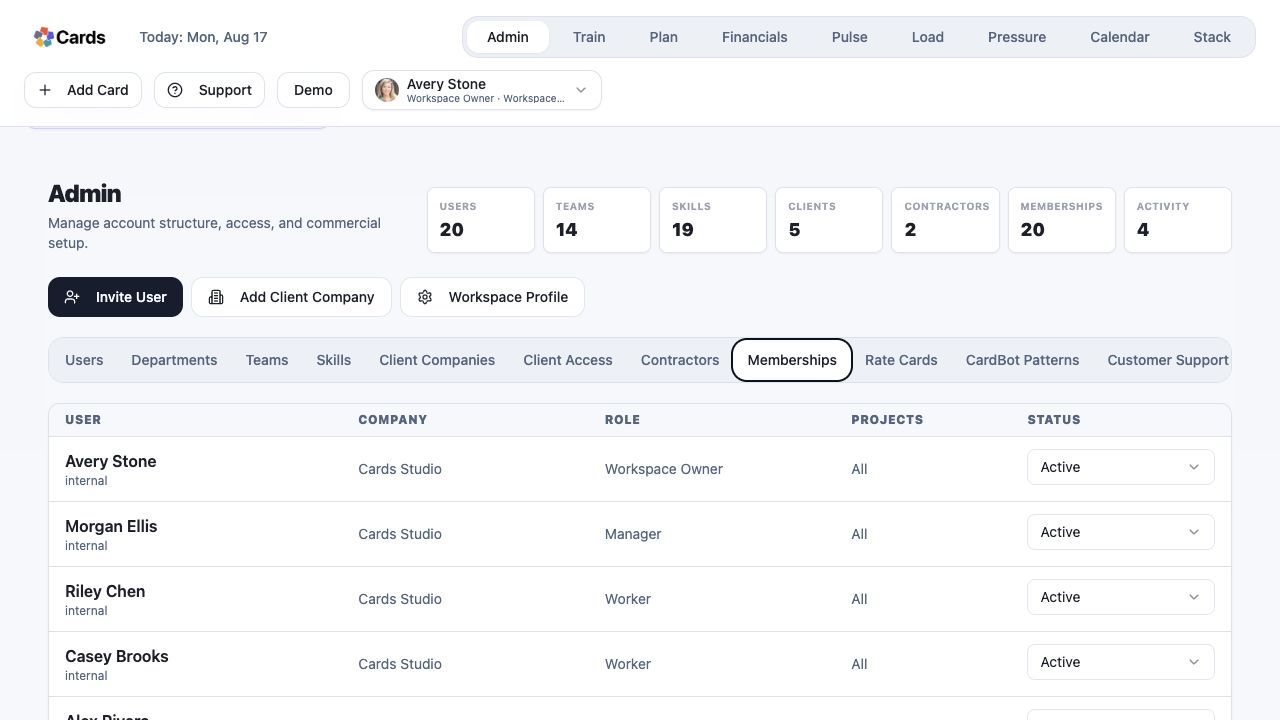 Confirm the new Membership and its active status
Step 5 screen focusAsk the invitee to confirm the organization after signing in.