
How It Works
Follow each step in Cards.
- A Deliverable is the authorized handoff, not simply the latest attachment.
- Confirm client visibility before sharing.
- 01
Open the connected Deliverable Card after its source work is approved.
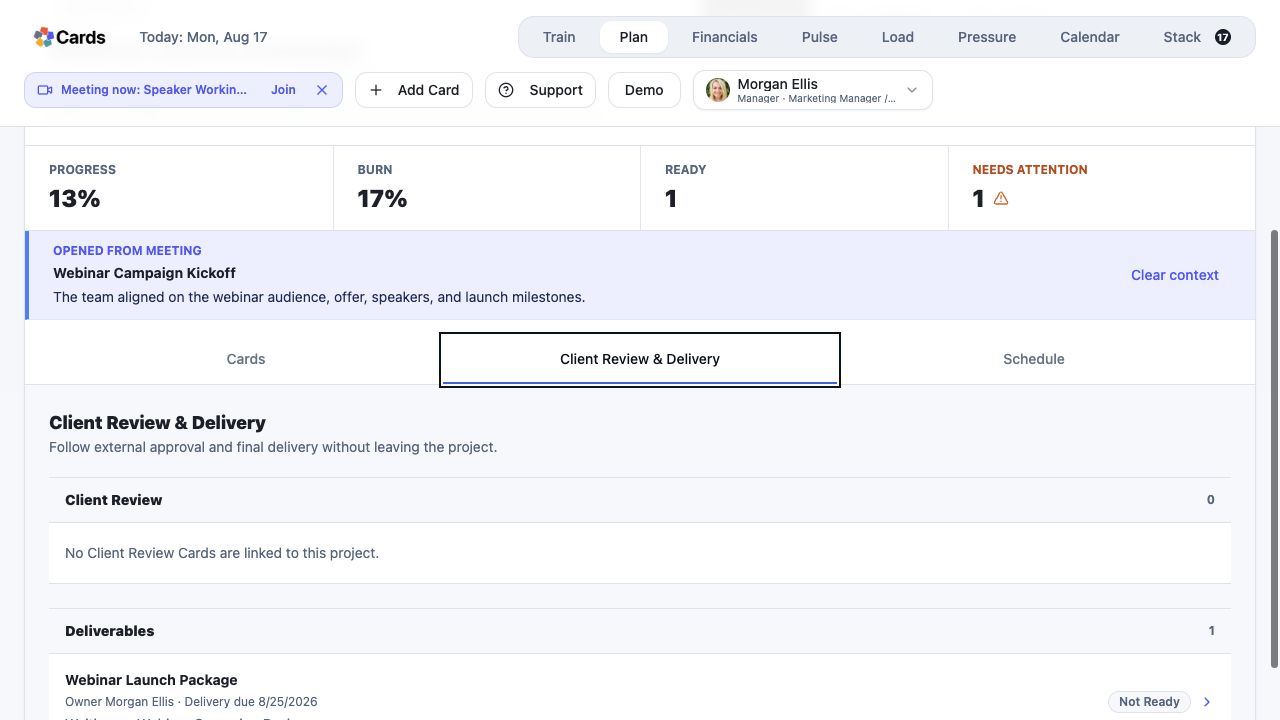 Open the connected Deliverable after review
Step 1 screen focusOpen the connected Deliverable Card after its source work is approved. - 02
Confirm the intended recipient, deliverable description, and delivery criteria.
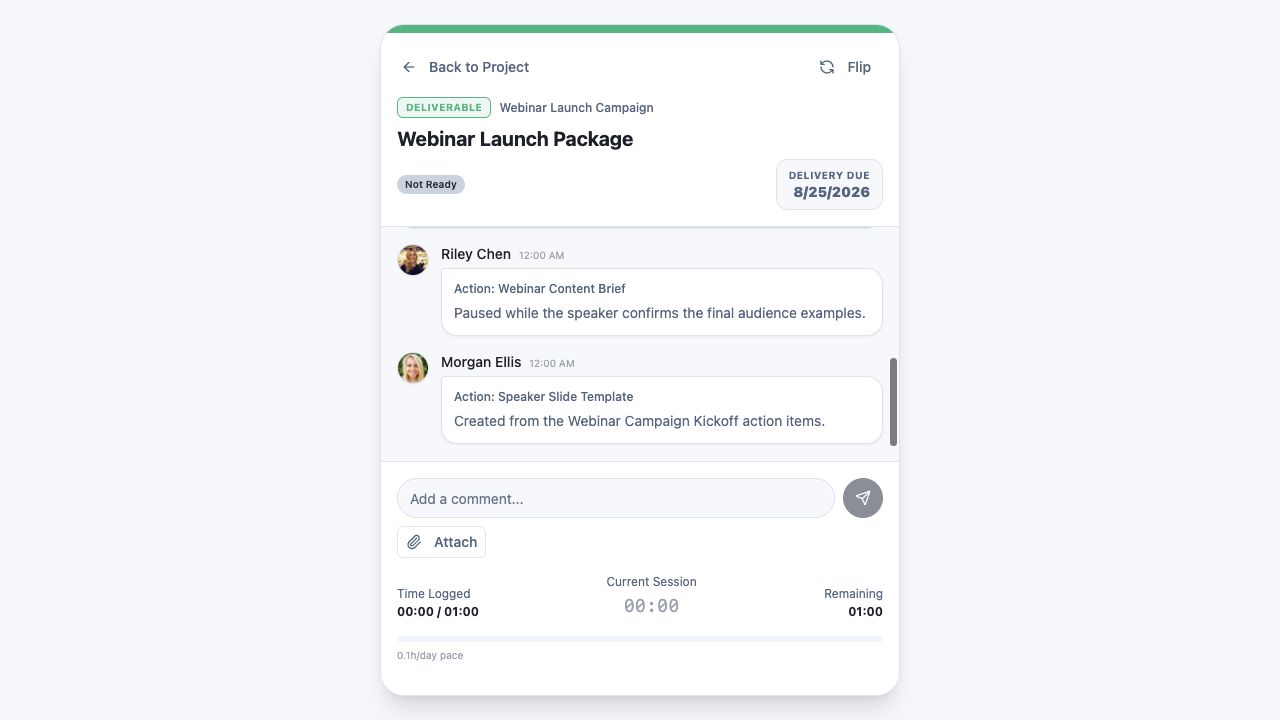 Confirm source Action, approving Review, owner, and due date
Step 2 screen focusConfirm the intended recipient, deliverable description, and delivery criteria. - 03
Attach the final file or approved link and identify the current version.
Attach the approved final file or linkStep 3 screen focusAttach the final file or approved link and identify the current version. - 04
Remove private working notes or unrelated internal material.
Review comments and attachments before deliveryStep 4 screen focusRemove private working notes or unrelated internal material. - 05
Complete delivery and verify the Project history records what was sent.
Verify delivery status from the ProjectStep 5 screen focusComplete delivery and verify the Project history records what was sent.