
How It Works
Follow each step in Cards.
- These views are coordination evidence, not employee scores.
- Leaders remain responsible for the conditions surrounding commitments.
- 01
Use Pressure to find constraints that need a decision or intervention.
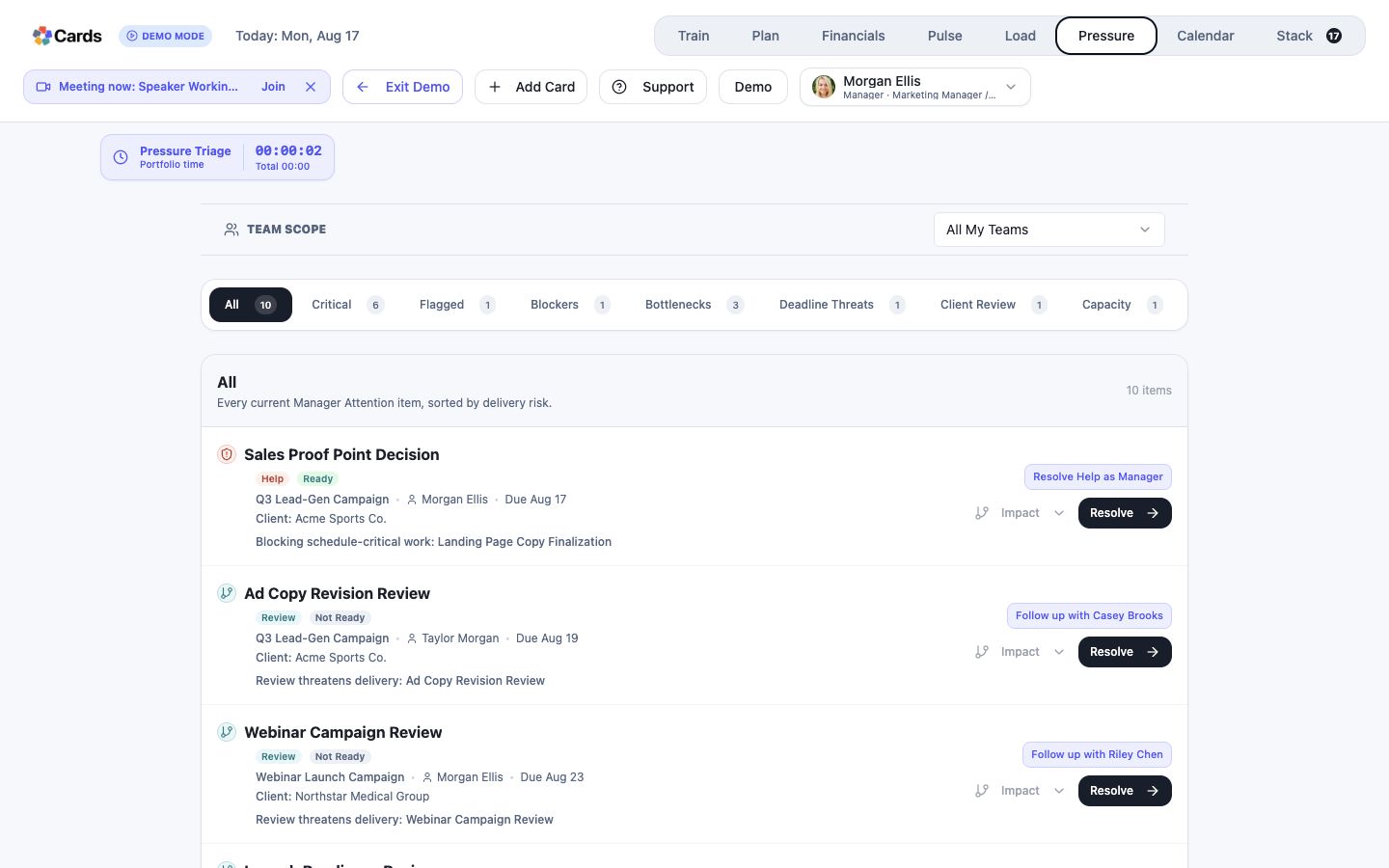 Use Pressure to find constraints needing intervention
Step 1 screen focusUse Pressure to find constraints that need a decision or intervention. - 02
Use Load to compare scheduled commitments with available capacity.
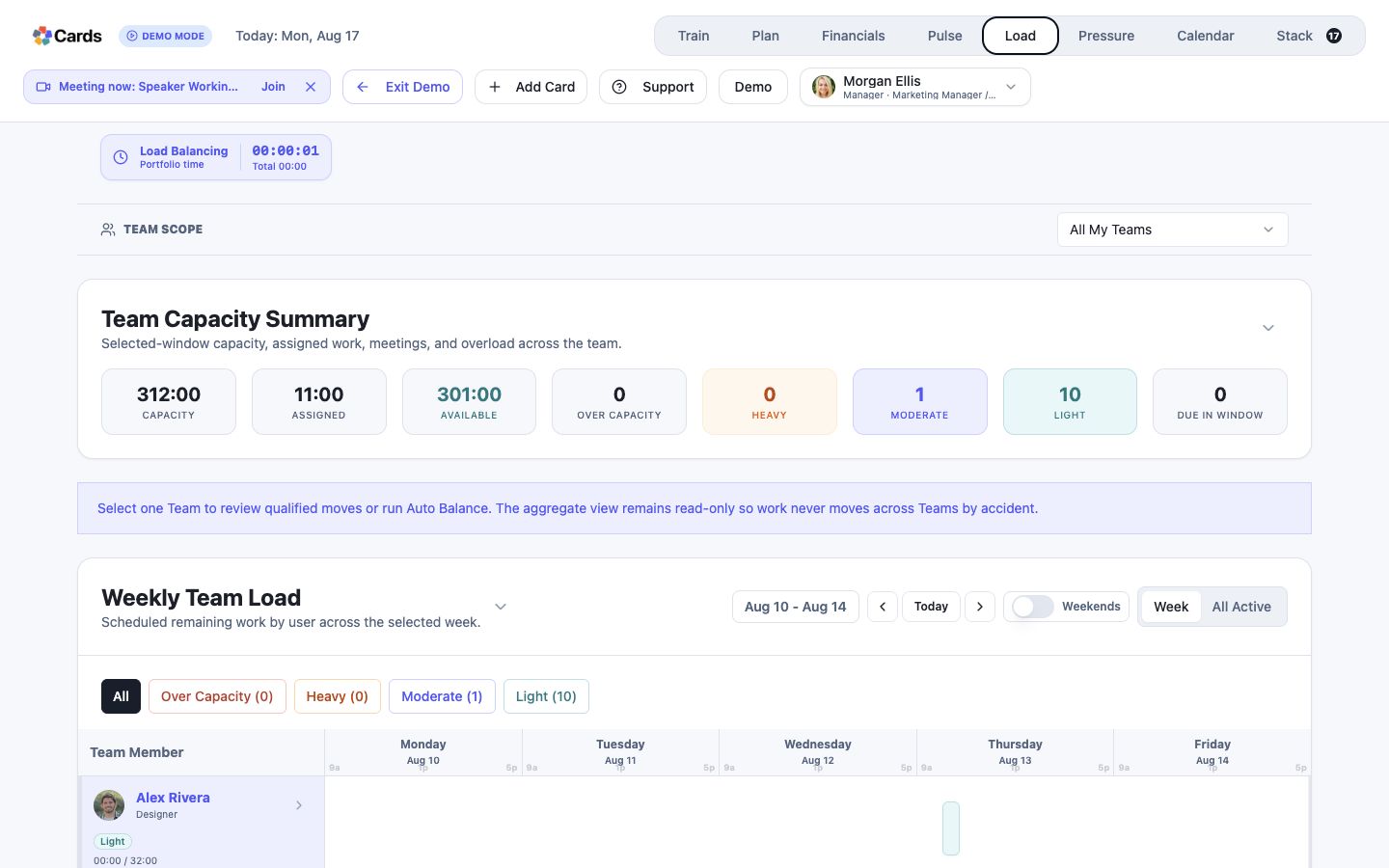 Use Load to compare commitments with capacity
Step 2 screen focusUse Load to compare scheduled commitments with available capacity. - 03
Use Pulse to understand the current health and movement of work across the organization.
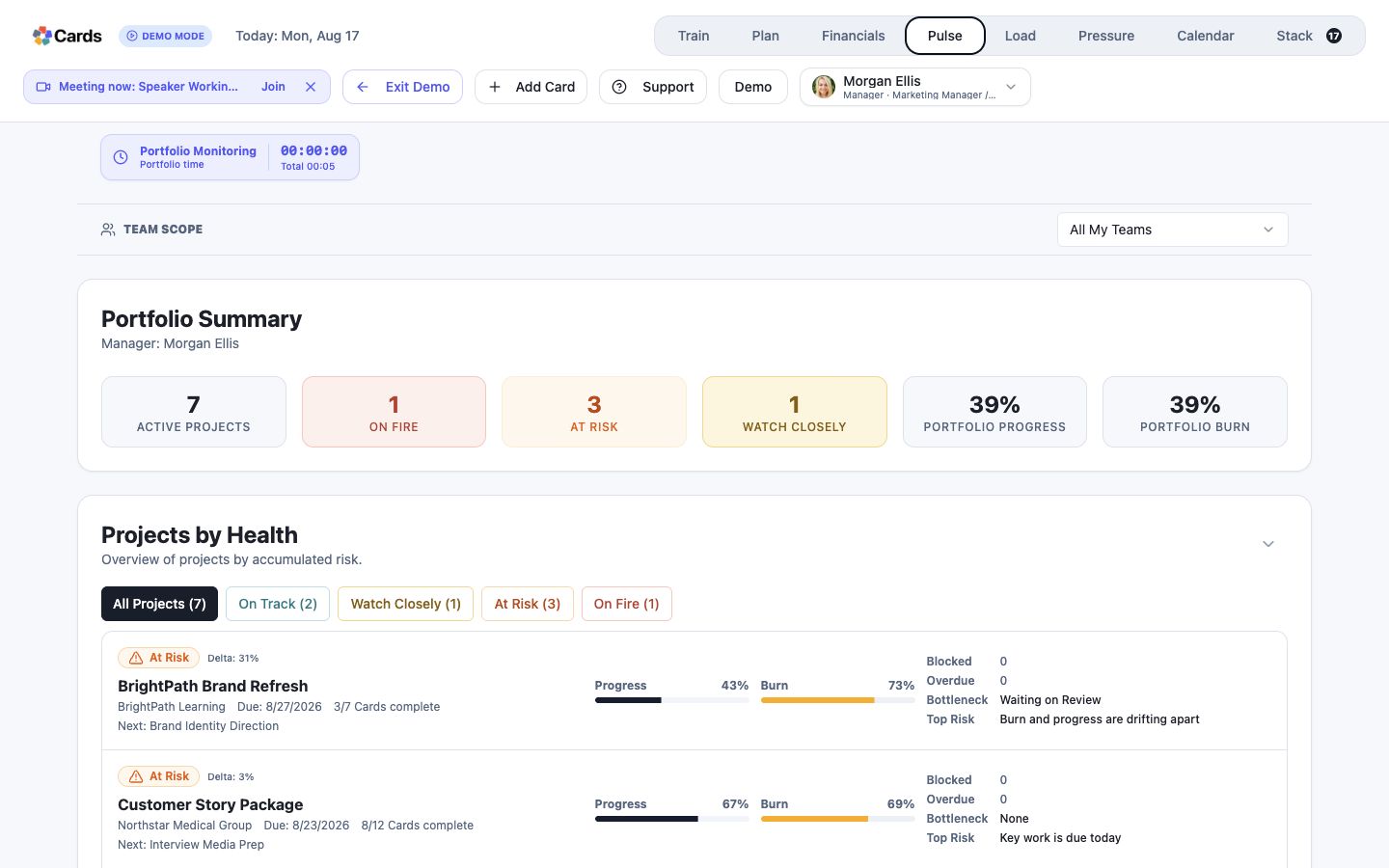 Use Pulse to understand work health and movement
Step 3 screen focusUse Pulse to understand the current health and movement of work across the organization. - 04
Open the underlying Projects and Cards before deciding what a signal means.
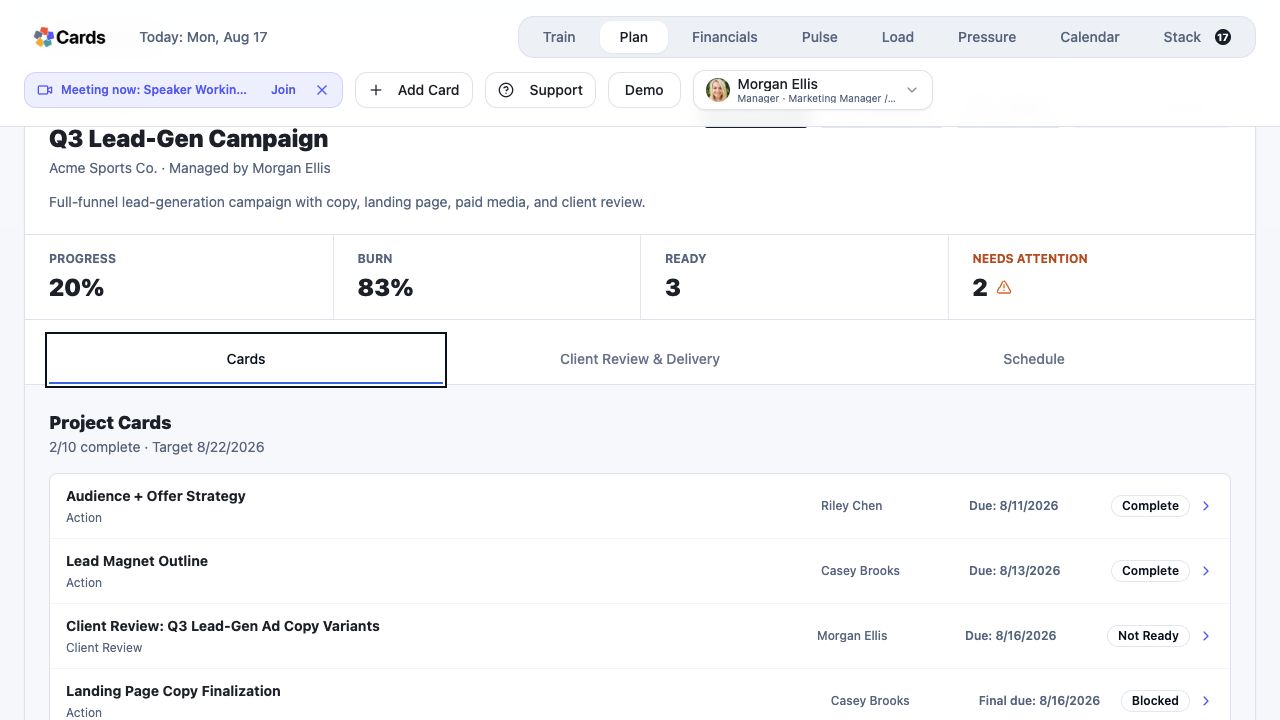 Open the underlying Project and Cards before deciding
Step 4 screen focusOpen the underlying Projects and Cards before deciding what a signal means. - 05
Respond by changing the plan, resources, sequence, scope, ownership, or timing as appropriate.
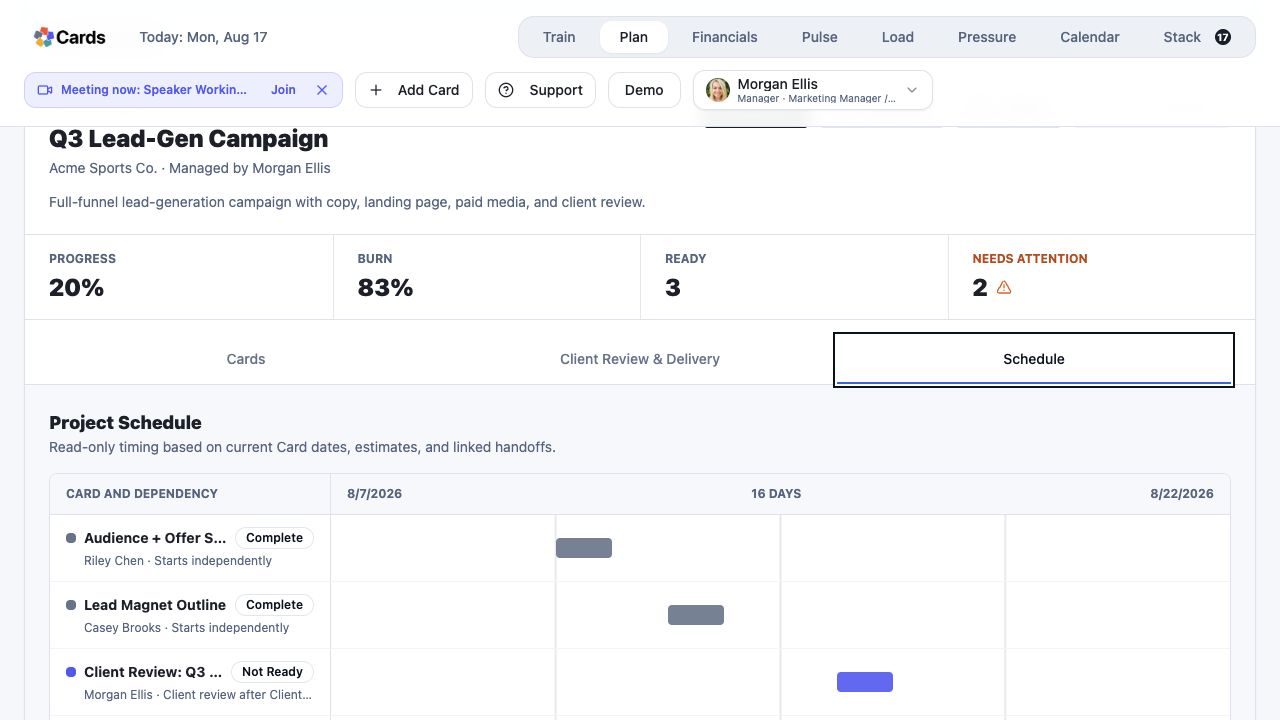 Change scope, sequence, ownership, or timing in Plan
Step 5 screen focusRespond by changing the plan, resources, sequence, scope, ownership, or timing as appropriate.