
How It Works
Follow each step in Cards.
- Capacity is planning input, not a measure of personal worth.
- Only authorized roles should change organization-wide settings.
- 01
Open your profile and confirm the name and details collaborators should see.
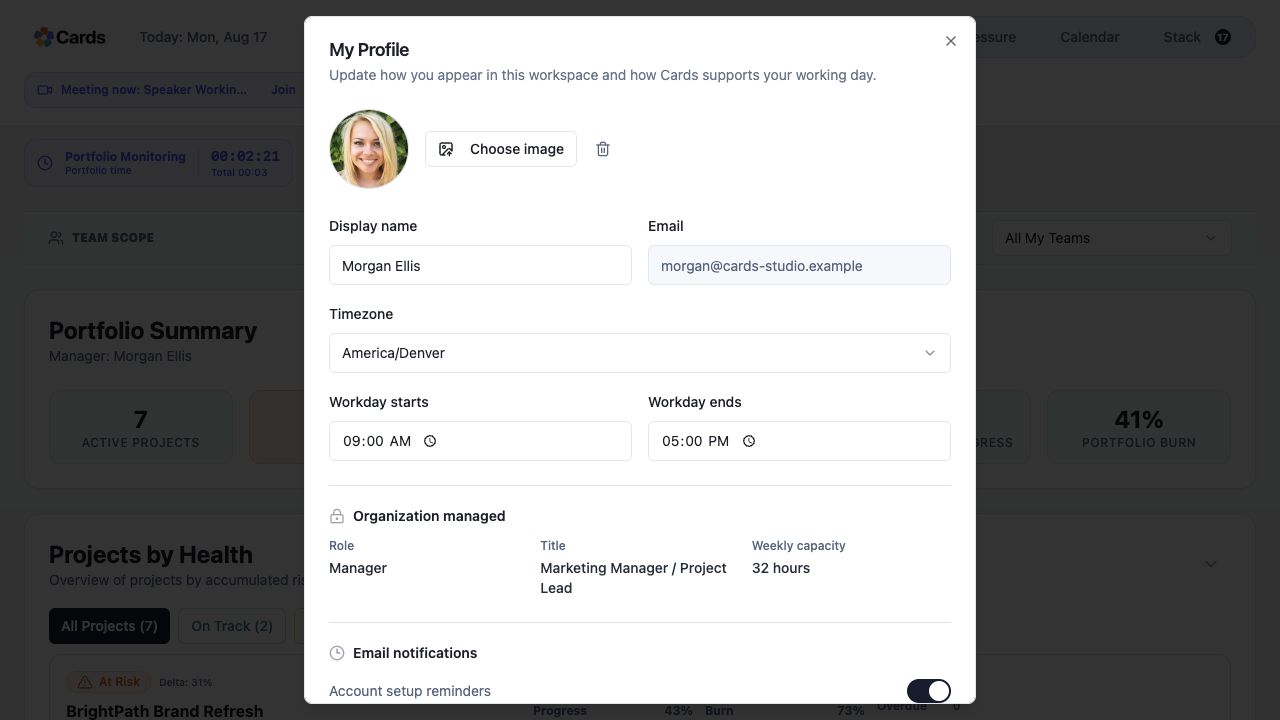 Review your personal profile and working day
Step 1 screen focusOpen your profile and confirm the name and details collaborators should see. - 02
Authorized Admins can review working calendars, unavailable periods, and capacity settings.
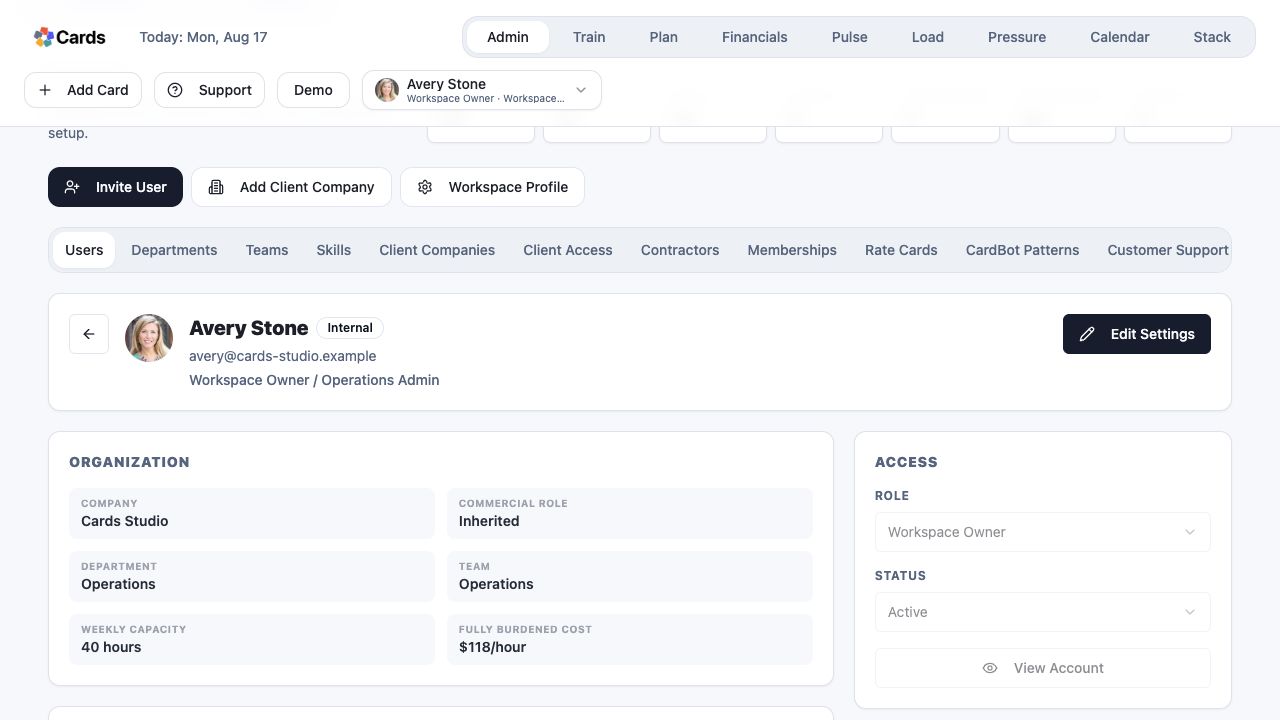 Admins review organization-managed capacity and access
Step 2 screen focusAuthorized Admins can review working calendars, unavailable periods, and capacity settings. - 03
Confirm role, team scope, and organization configuration after changes.
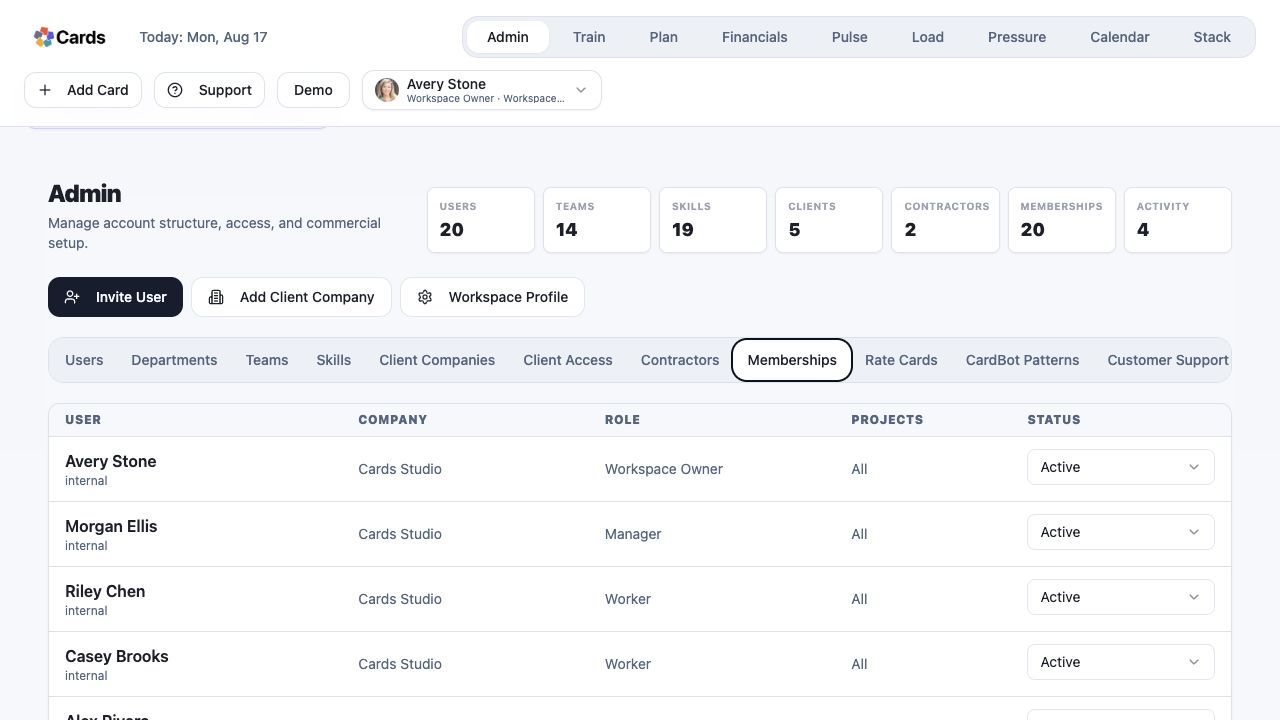 Confirm role and Membership status after changes
Step 3 screen focusConfirm role, team scope, and organization configuration after changes. - 04
Open Load to verify capacity is represented as expected.
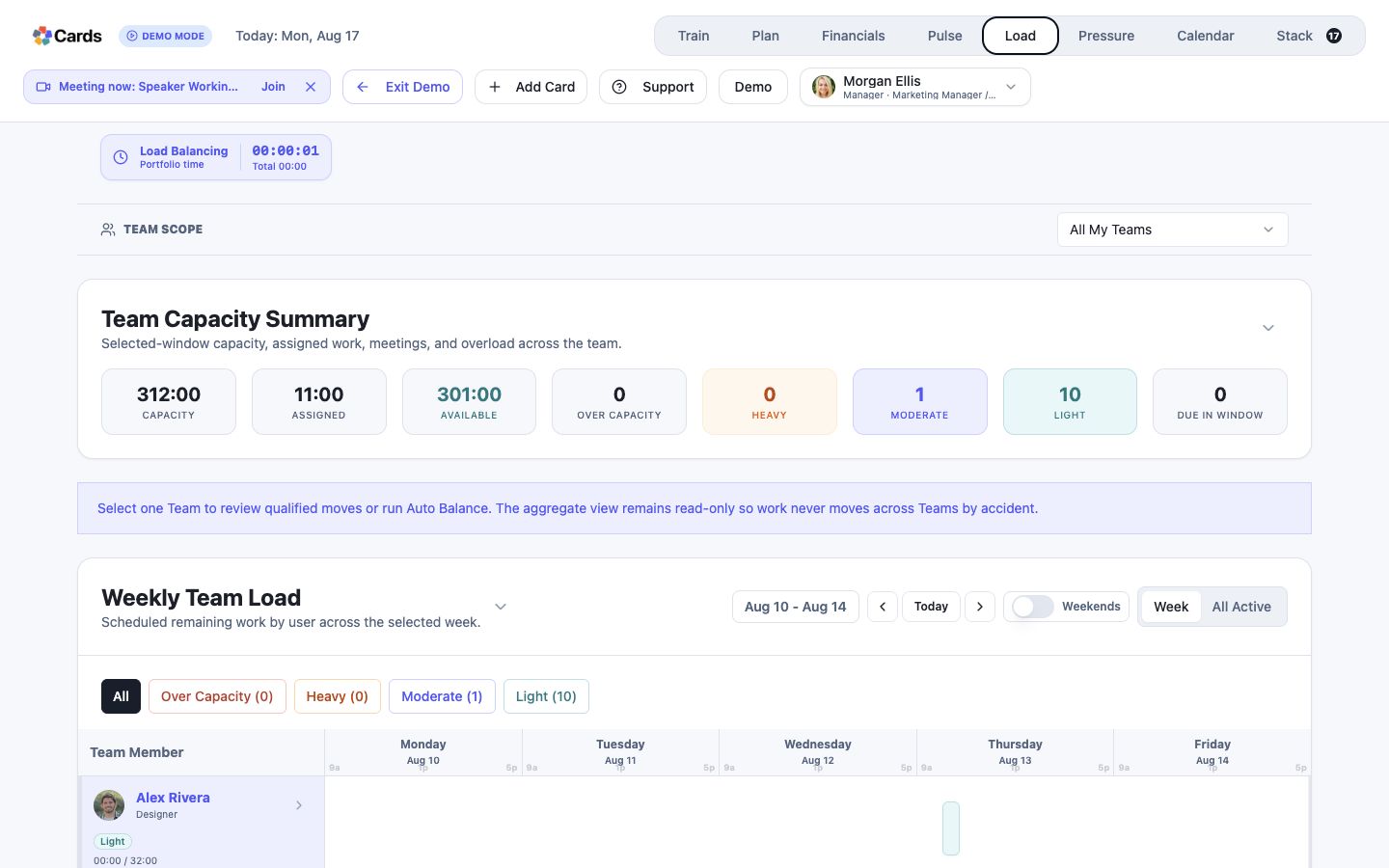 Open Load to verify capacity is represented correctly
Step 4 screen focusOpen Load to verify capacity is represented as expected. - 05
Document consequential Admin changes for the people they affect.
Keep consequential Admin settings visible with the userStep 5 screen focusDocument consequential Admin changes for the people they affect.