
How It Works
Follow each step in Cards.
- Review should evaluate stated criteria, not reconstruct missing context.
- Keep internal review material private unless it is intentionally prepared for a client.
- 01
Complete the source Action Card with the required evidence or files.
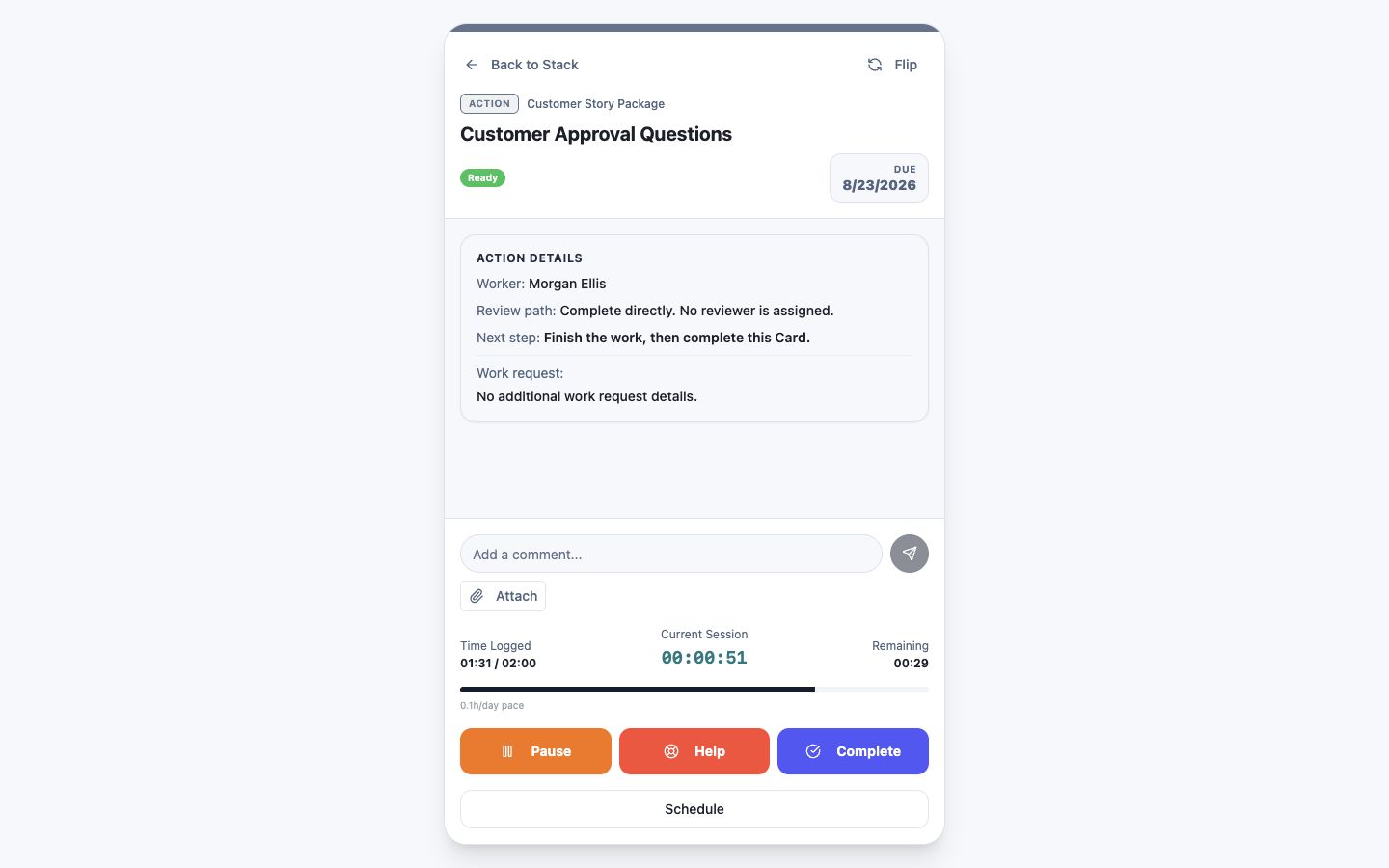 Complete the source Action with its evidence
Step 1 screen focusComplete the source Action Card with the required evidence or files. - 02
Confirm the connected Review Card, reviewer, criteria, and due date.
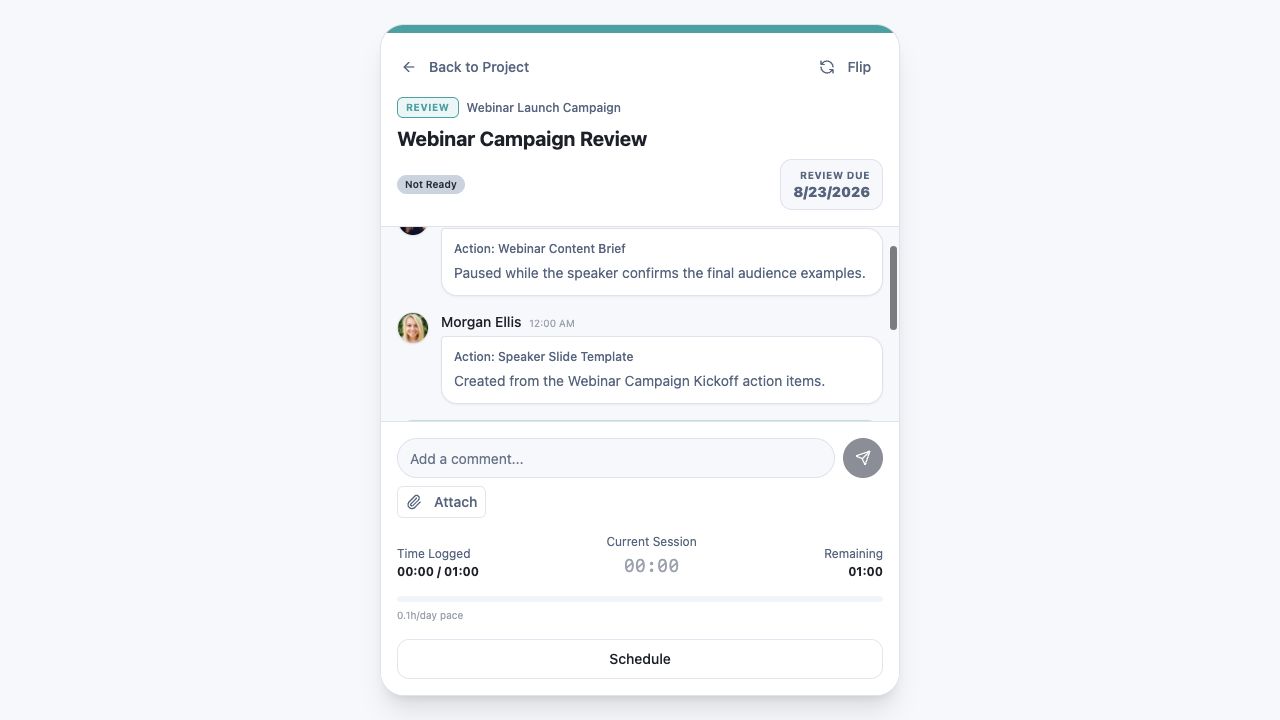 Confirm the connected Review Card, reviewer, and due date
Step 2 screen focusConfirm the connected Review Card, reviewer, criteria, and due date. - 03
Add any context the reviewer needs to evaluate the outcome.
Keep review context and evidence with the ReviewStep 3 screen focusAdd any context the reviewer needs to evaluate the outcome. - 04
Submit the work and confirm the Review Card is ready for the assigned reviewer.
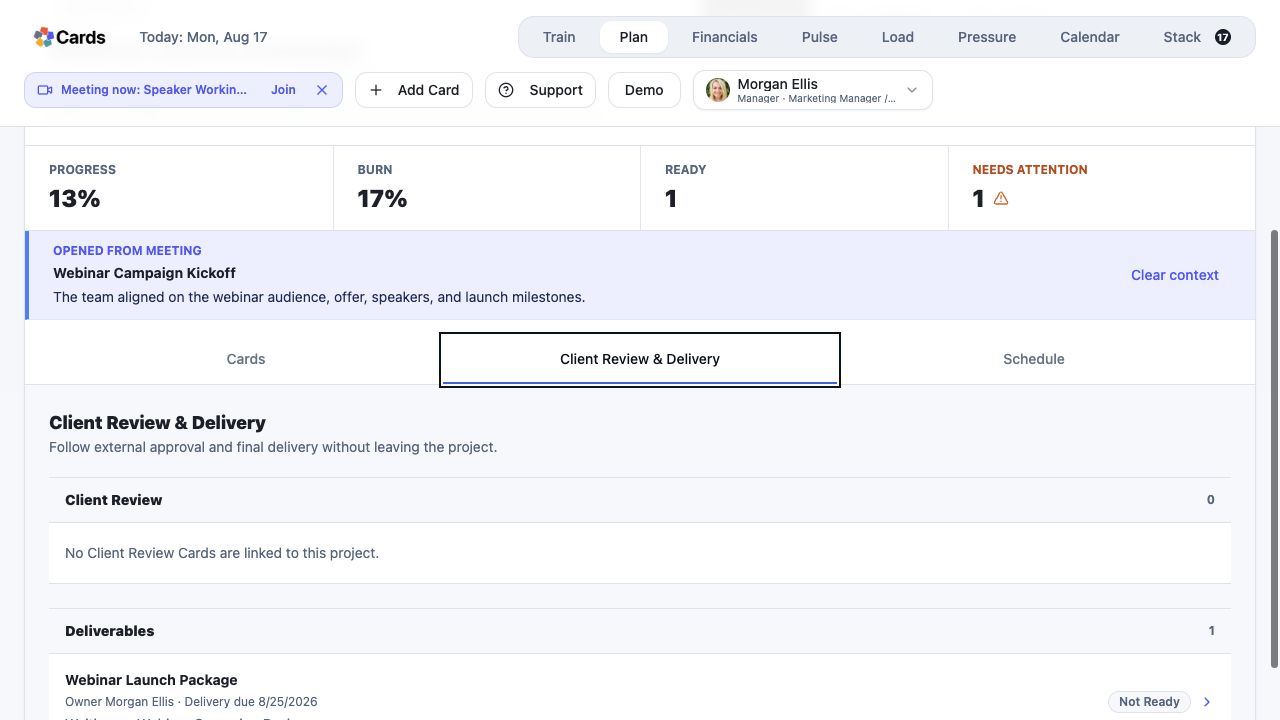 Confirm Review and Deliverable readiness in the Project
Step 4 screen focusSubmit the work and confirm the Review Card is ready for the assigned reviewer. - 05
Respond to the review decision through the connected workflow.
Follow the Review status and connected submissionsStep 5 screen focusRespond to the review decision through the connected workflow.