
How It Works
Follow each step in Cards.
- An organization is an access boundary, not merely a label.
- Keep client and internal work in the correct workspace.
- 01
Confirm the organization name and the Workspace Owner responsible for access decisions.
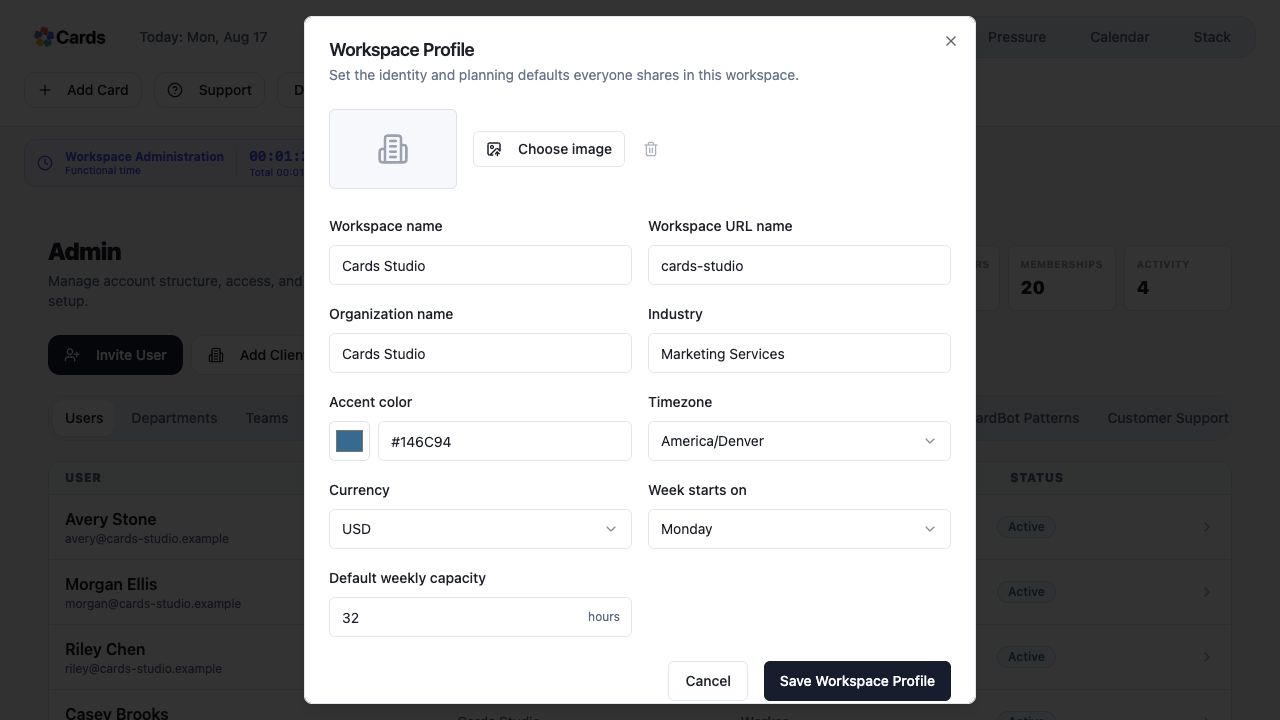 Confirm the shared Workspace identity and defaults
Step 1 screen focusConfirm the organization name and the Workspace Owner responsible for access decisions. - 02
Add the teams, working calendars, and settings needed for the organization.
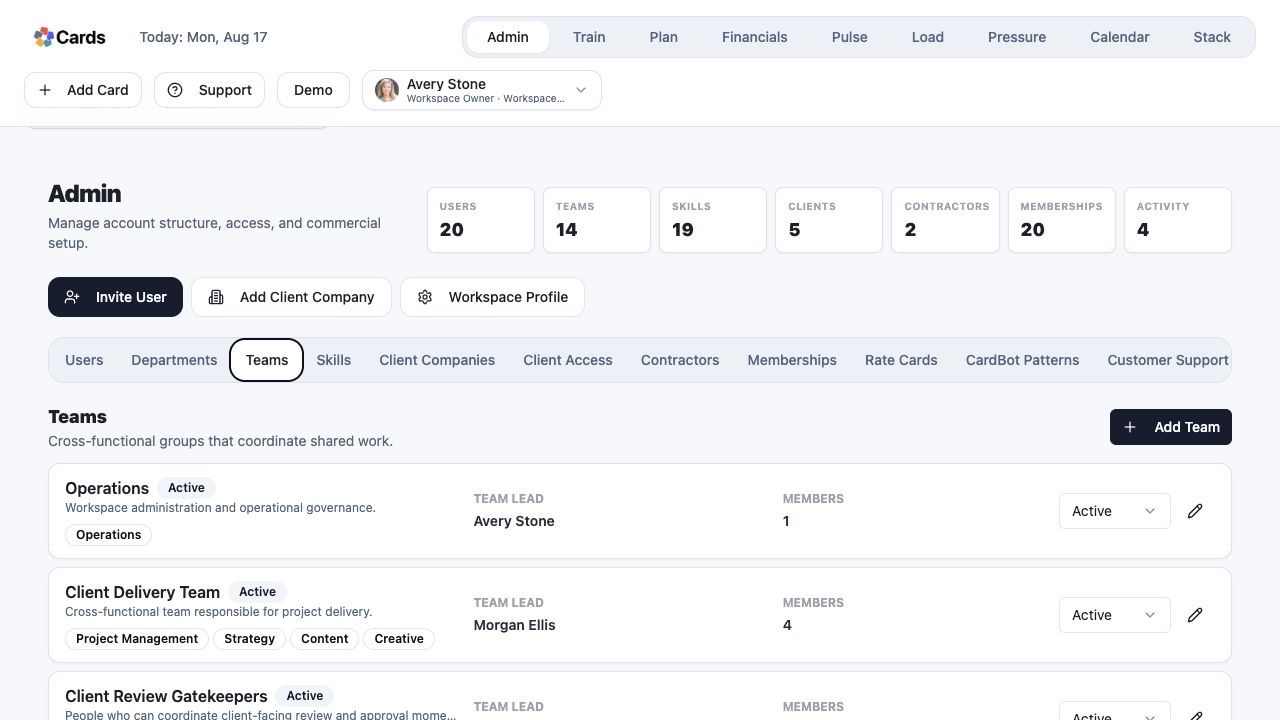 Create and review the Teams that coordinate work
Step 2 screen focusAdd the teams, working calendars, and settings needed for the organization. - 03
Check that members can see only the Projects and controls appropriate to their role and team scope.
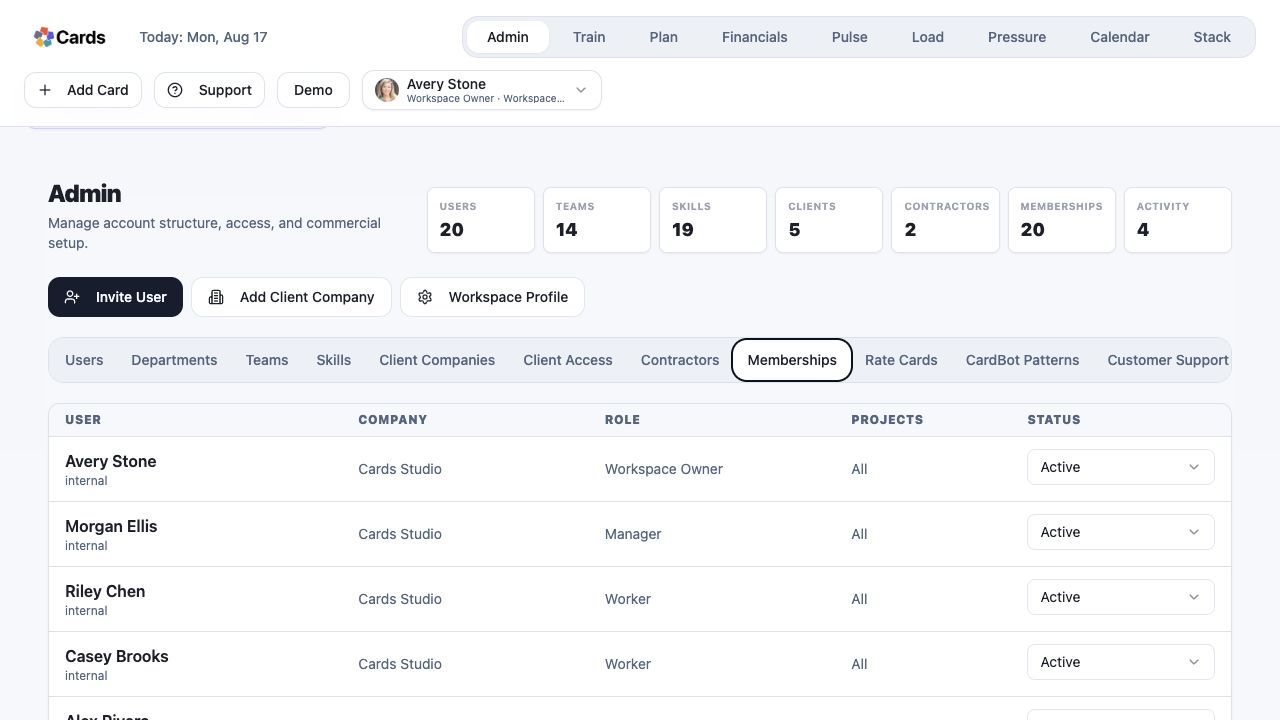 Verify each Membership, role, Project scope, and status
Step 3 screen focusCheck that members can see only the Projects and controls appropriate to their role and team scope. - 04
Create a small test Project before moving active delivery into the workspace.
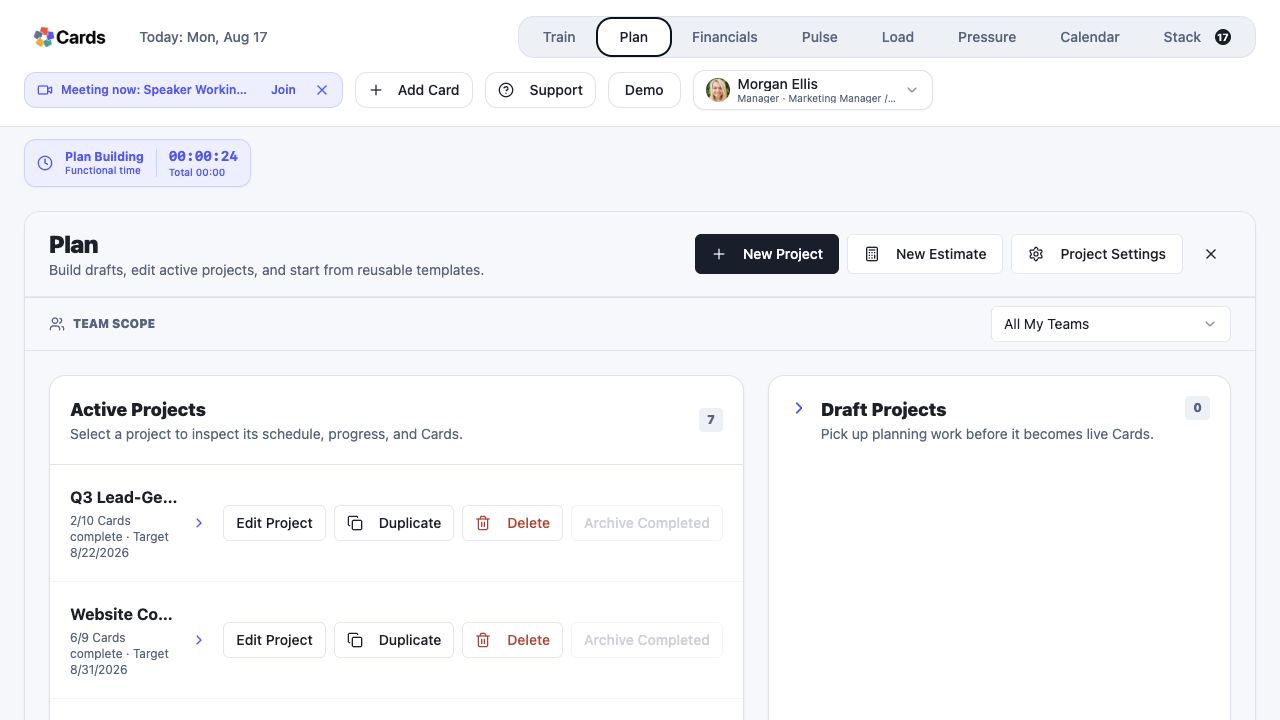 Create a small Project from Plan to test the setup
Step 4 screen focusCreate a small test Project before moving active delivery into the workspace.