
How It Works
Follow each step in Cards.
- Internal assignments, rates, working notes, and unrelated Cards remain private.
- Do not forward a client review link to an unauthorized recipient.
- 01
Confirm the client contact and the item approved for external review.
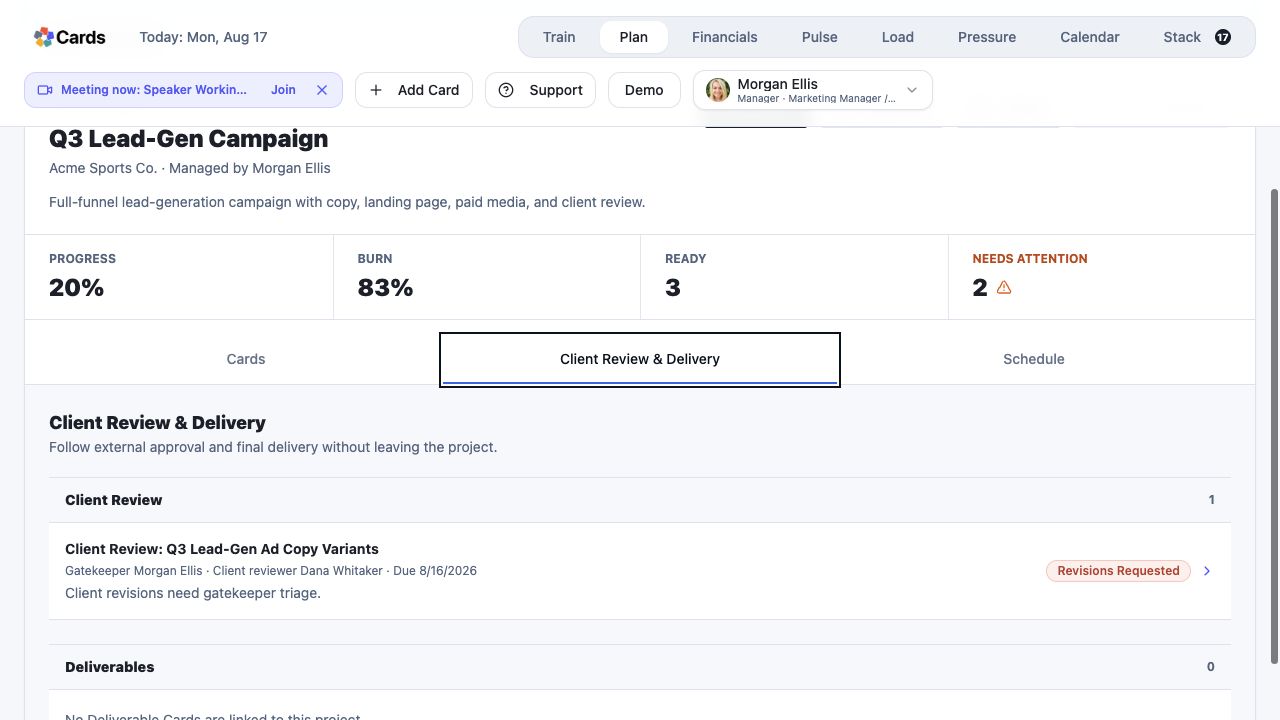 Confirm the client reviewer and intended item
Step 1 screen focusConfirm the client contact and the item approved for external review. - 02
Review the files, notes, and context that will be visible.
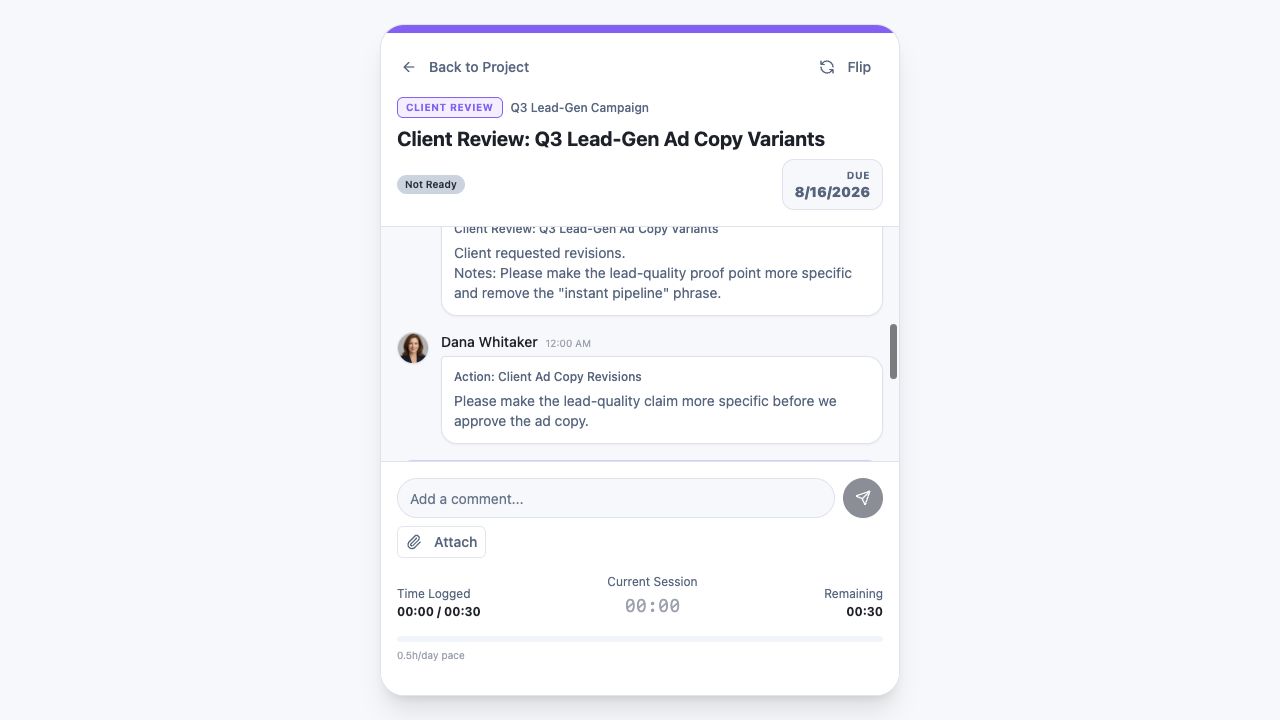 Review the exact context visible with the item
Step 2 screen focusReview the files, notes, and context that will be visible. - 03
Send the Client Review or Deliverable through the supported sharing workflow.
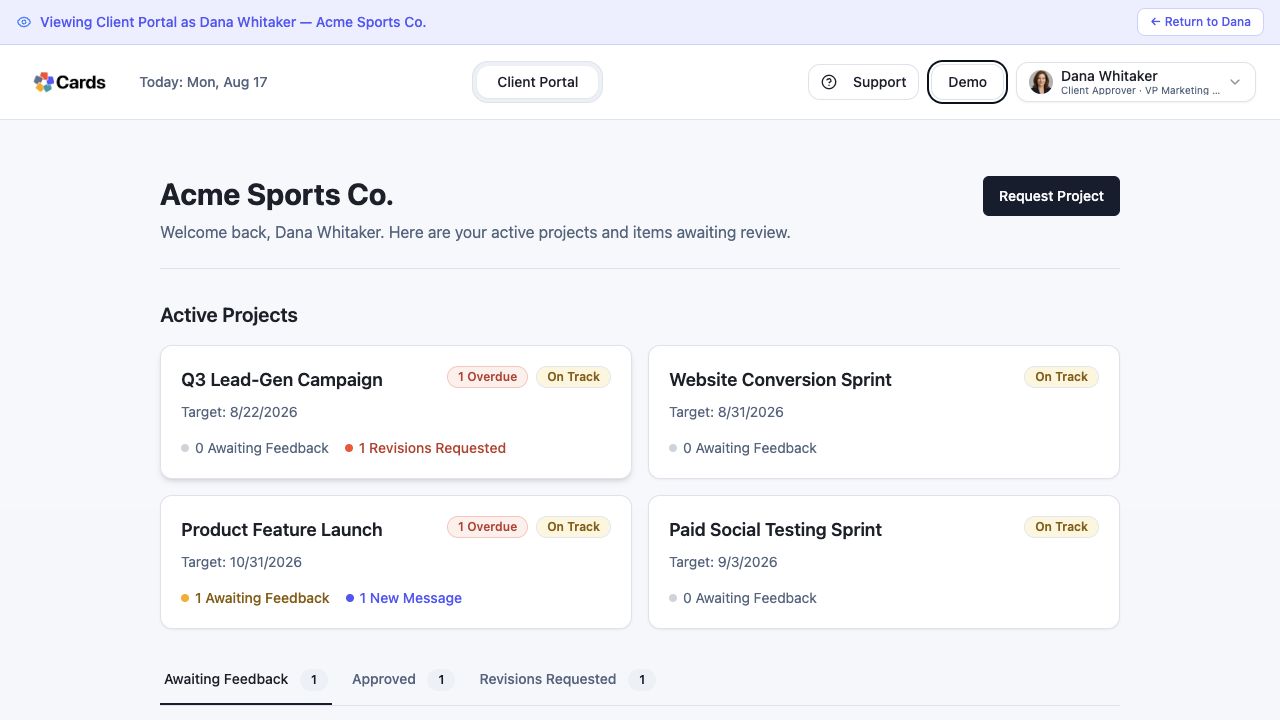 Open the focused Client Portal experience
Step 3 screen focusSend the Client Review or Deliverable through the supported sharing workflow. - 04
Ask the client to use the private review link and available decision controls.
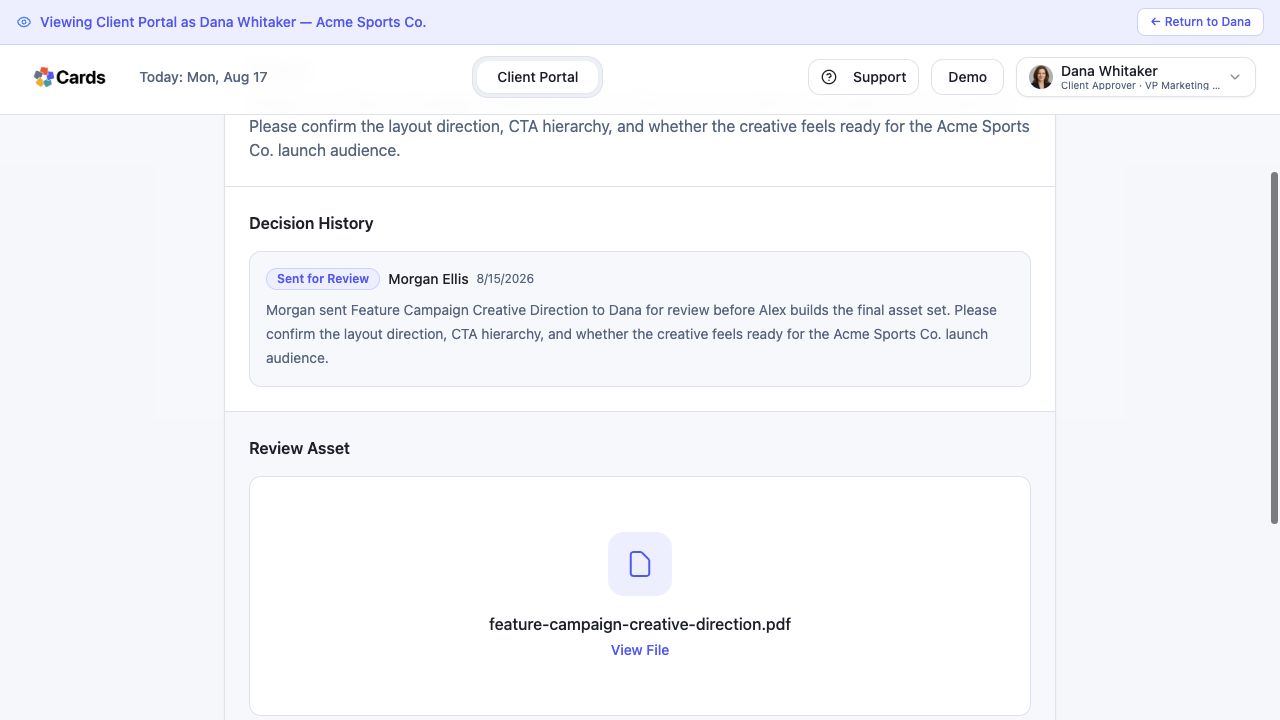 Use the private review decision controls
Step 4 screen focusAsk the client to use the private review link and available decision controls. - 05
Follow returned feedback inside the connected Project history.
Follow comments and Decision History with the itemStep 5 screen focusFollow returned feedback inside the connected Project history.